SYMPTOM:
When attempting to start the Strategy Intelligence Server 9.x - 10.x as a Windows service, the following error message appears:

Failed to start service Error Code: -1 Error Message: StartUpManager::StartUpManager():LoadServerDef failed. Return Code: 0x80041404'
The following event also appears in the Windows Event Viewer System Log:
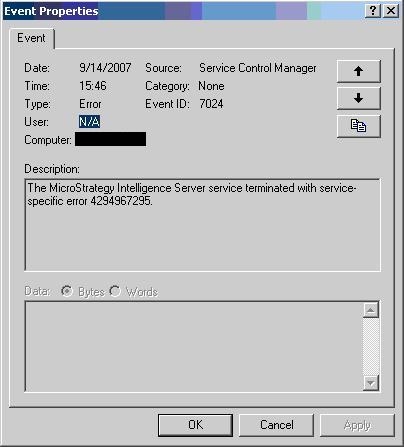
The Strategy Intelligence Server service terminated with service-specific error 4294967295.
CAUSE:
This error message can appear when the Strategy Intelligence Server 9.x - 10.x service cannot connect to the metadata on startup or, in some instances, if the DSN pointing to the metadata has become corrupt.
The same error message can be received if the Strategy Intelligence Server 9.x - 10.x installation has not been activated. Refer to the following Strategy Knowledge Base document for more information:
KB13850: 'Failed to start service' error occurs when attempting to start MicroStrategy Intelligence Server 8.x
ACTION:
Verify the server definition is using the correct DSN with a valid database username and password to access the metadata. Check that the DSN specifies the correct database. Test that the Strategy Intelligence Server 9.x - 10.x machine is able to connect to the database server. In some instances it might be necessary to re-create the DSN pointing to the metadata if it has become corrupt.
