When creating a logical table, there are two ways how the user can define the column objects. The user can choose to click on the 'Add' button and will add a new entry in the columns list or the user can drag and drop from the list of existing columns at the left of the window.
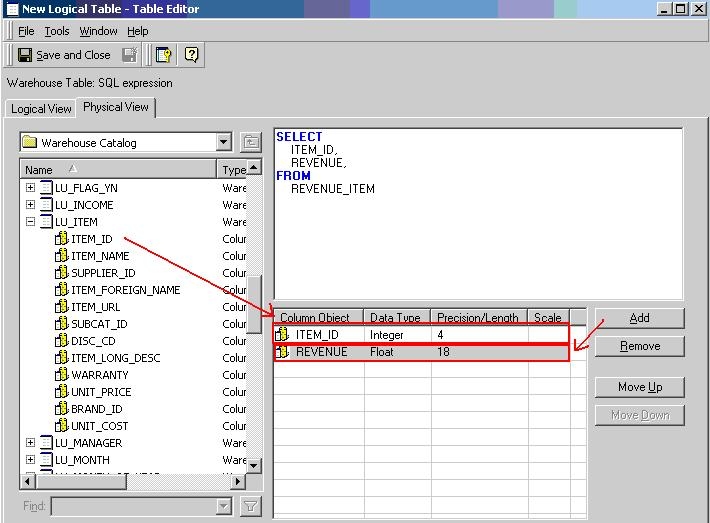
If the column is created using the 'Add' button and also Automatic mapping is turned on, the attributes won't make reference to the existing column since a new column object is created. A similar behavior is reported in the following Strategy Knowledge Base technical note:
KB12000 (KB5300-800-0666): After creating a column in a logical table, automatic mapping does not occur for attributes referencing columns with the same name in Strategy 10.x
