SYMPTOM:
A user wants to modify the custom expression of an advanced filter that has been already created, but the expression is locked in Strategy Developer, as illustrated below:
CAUSE:
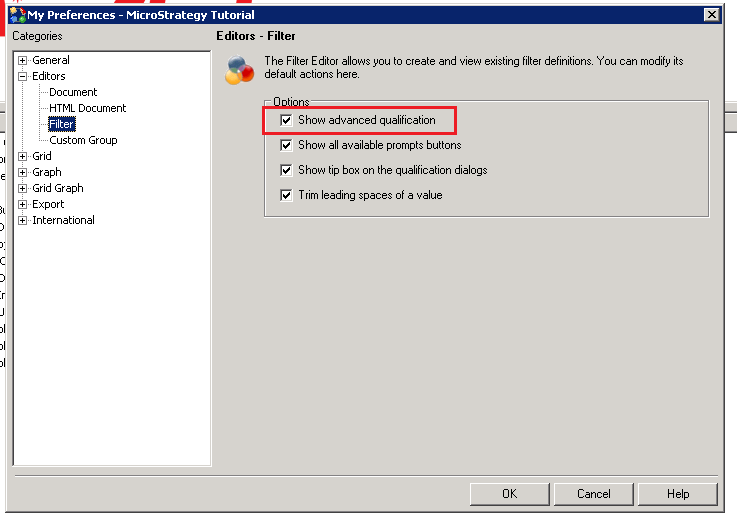
The option to enable advanced qualifications on Filter Editors, which was checked to create the filter, has been unchecked.
ACTION:
Users need to enable the option to create advanced qualifications custom expression filters. If this option is disabled afterwards, the custom expression of existing filters gets locked.
Follow the steps below to unlock / enable advanced qualifications in filters:
The custom expression filter should be unlocked now.
