SYMPTOM:
Several reports have been under subscription by some users. The subscribing reports appear in their History List, and then those History caches are created successfully. But when the users run same reports from report folder, the History caches are not hit and no report caches are created in Strategy Web.
CAUSE:
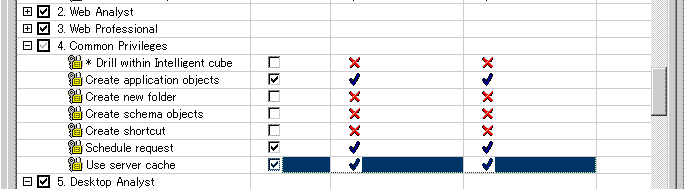
The users do not have the 'Use Server Cache' privilege under common privileges in Project Access. Any users who need to create and use server cache must have 'Use Server Cache' privilege. Logically, report cache and history cache are treated separately.
The history caches are not hit when the users run the reports from report folder. This is expected behavior. The users without 'Use Server Cache' privilege cannot create report caches or use existing report caches when the users run the reports from report folder in Strategy Web 8.x.
ACTION:
To resolve this issue, the administrator must grant the users 'Use Server Cache' privilege under common privileges in Project Access. Follow the steps below: