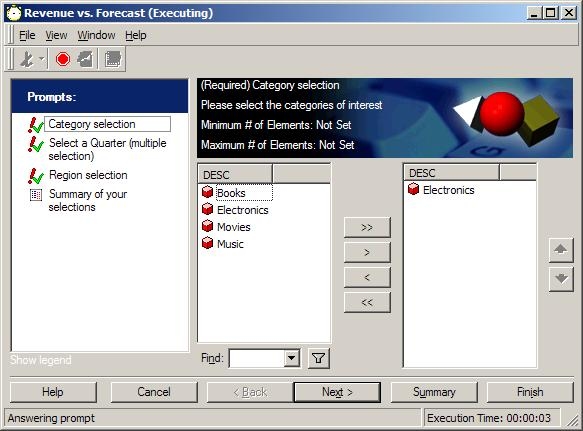
When using a prompt, users are prompted to select attribute elements by moving them to the right on the 'Selected Elements' list.
In Strategy Desktop 8.x, when a prompt is added to a report and run, users have the option to 'Save and Close' the report. The prompt 'Save Options' appears as follows:
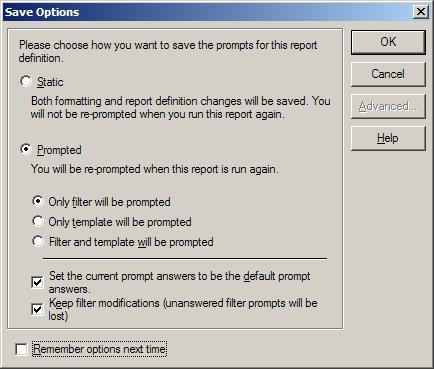
If users save with 'Static' option, then both formatting and report definition changes will be saved and users will not be re-prompted when running the report again. The prompt answers will be built into the report as static filters or static objects.
However, if users save with 'Prompts' option, then when the report is re-run, users will be prompted again to select the Attribute Elements. If users wish to keep the selected Attribute Elements on the right to appear during the re-run of the report, then the check box 'Set the current answers to be the default prompts answers' should be checked, or unchecked if users wish to start with the prompt's default answers. Checking the option to 'Keep filter modifications (unanswered filter prompts will be lost)' will save all answered filter prompts and will remove unanswered prompts. This creates a more stream-lined prompted report for the user.
NOTE: Clicking the advanced section will ask the user if they would like to save a local copy of the template and/or filter, or retain shortcuts to the template and/or filter:
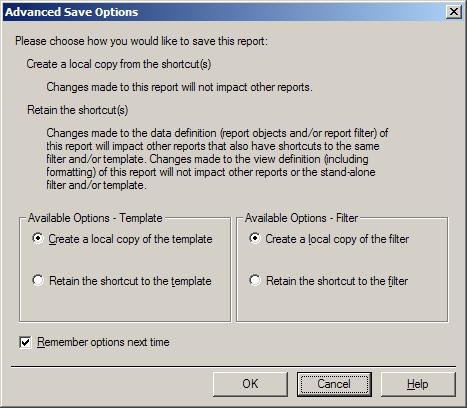
NOTE: The 'Remember options next time' check box will save the chosen options and set them as default when checked. They will display every time a prompted report is saved.
