This feature is available from the menu bar in the Narrowcast Administrator by selecting Tools > Preferences. This operation will show the following Preferences window:
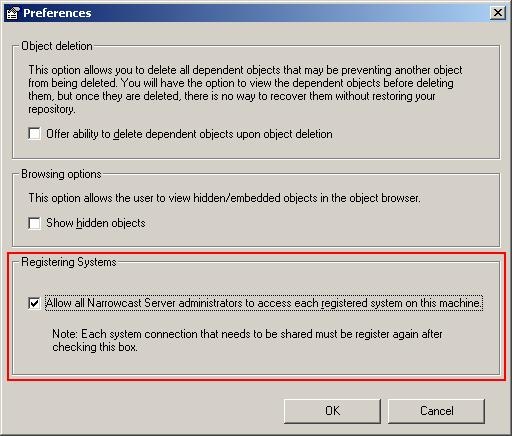
Checking the box Allow all Narrowcast Server administrators to access each registered system on this machine will enable this feature and will allow the administrator to begin registering systems for all users. Any systems not registered to all Strategy Narrowcast Server administrators will NOT be accessible while this box is checked. However, they will not be lost. Unchecking this box will restore any systems registered prior to making this change in the Strategy Narrowcast Server Administrator.
