Large report result sets, when generated into XML, can require significant amount of Strategy Intelligence Server memory. Strategy Web products handle this by implementing the incremental fetch feature. However if the incremental fetch limit is too large, users can also govern the result set's size by setting the maximum number of XML cells at the Strategy Intelligence Server 9.x level. This determines the maximum number of cells that can be returned from Strategy Intelligence Server to the Web server at a time.
The number of cells that are counted toward this limit is the number of rows multiplied by the number of metric columns. The attribute cells are not counted.
For example, if the XML limit is set at 2 cells and a report generates 10 rows and has 1 metric, the report is split into 5 pages.
Other Examples:
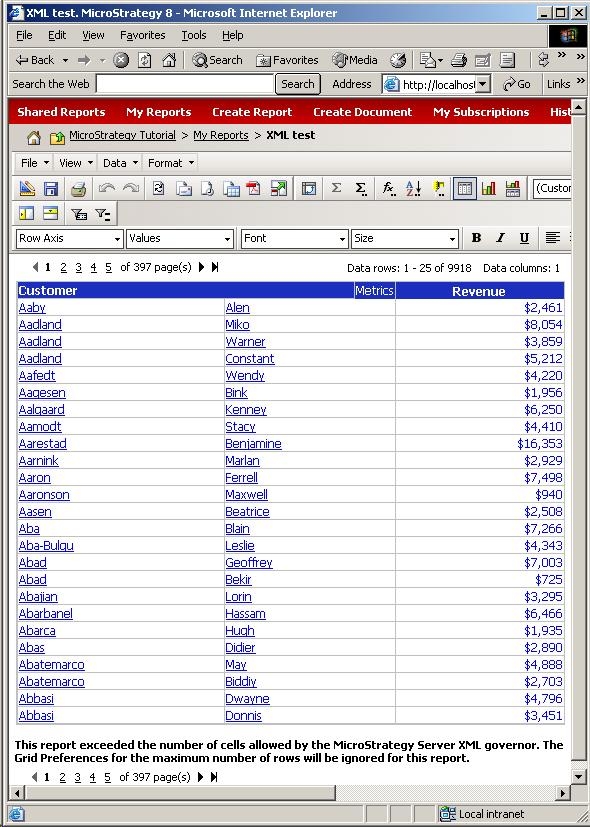
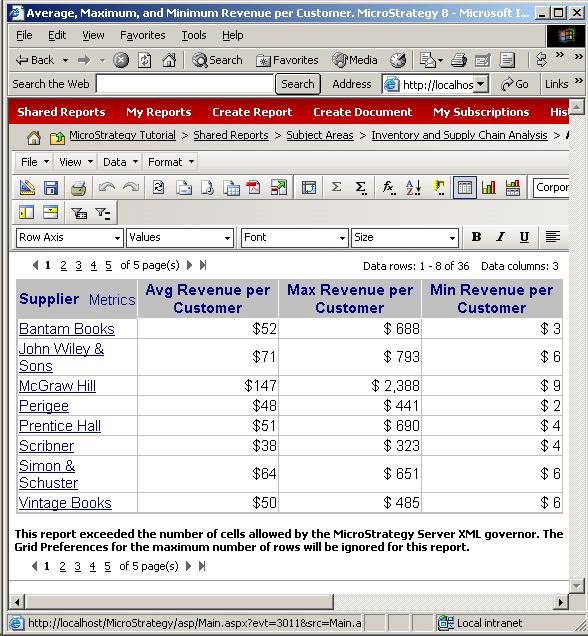
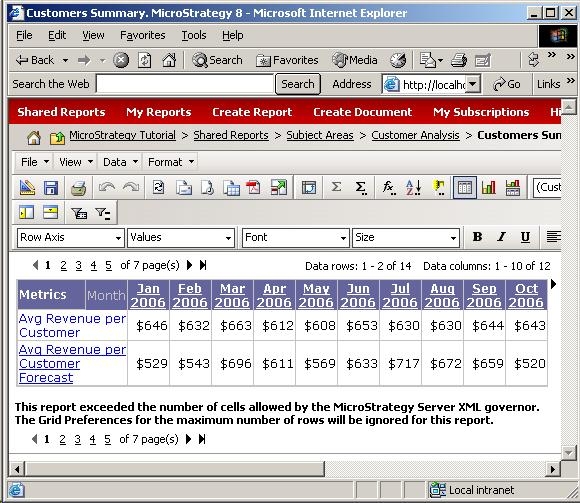
Max Number of XML Cells = 25.
With 1 metric:
With 3 metrics:
<
With 2 metrics in the row axis and the Month attribute:
<
Additionally, when users export large reports from Strategy Web or Web Universal as formatted data, the XML is generated in batches. This XML limit determines how large the batches are, and therefore, how much memory they consume. Depending on this XML limit, Strategy Intelligence Server behaves differently:
To set the XML limit, use the Intelligence Server Configuration editor, select the Governing: File Generation category, then specify the Maximum number of XML cells, as shown below:
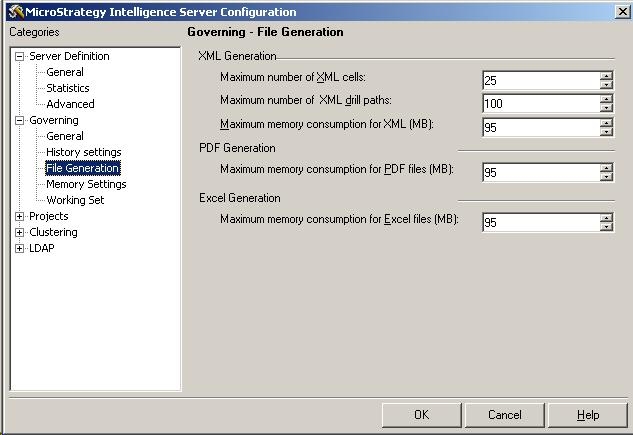
Restart Strategy Intelligence Server for the new limit to take effect.
