SYMPTOM:
When configuring or modifying machines in the Clustering step of the Strategy Narrowcast Server System Configuration Wizard, the following message appears upon clicking 'Next':

Unable to connect to the Intelligence Server for Information Source <Information Source Module Name>. SequeLink machine name was not updated in the metadata.
The user is able to continue through the System Configuration Wizard after clicking 'OK' on this message.
CAUSE:
This message appears because the Configuration Wizard is unable to connect to the project specified by the Information Source Module named in the error to update the Strategy Narrowcast Server Metadata properties for Web Deliveries.
NOTE: This message is only a warning and does not prevent registering the new cluster configuration.
ACTION:
The user should verify the Strategy Intelligence Server specified by the Information Source Module is up and running and has the specified project loaded, and that the Strategy Narrowcast Server Administrator machine can communicate with the Strategy Intelligence Server machine.
If Strategy Developer is installed on the Strategy Narrowcast Server Administrator machine, the user can test logging into the Strategy Intelligence Server as Administrator and accessing the project.
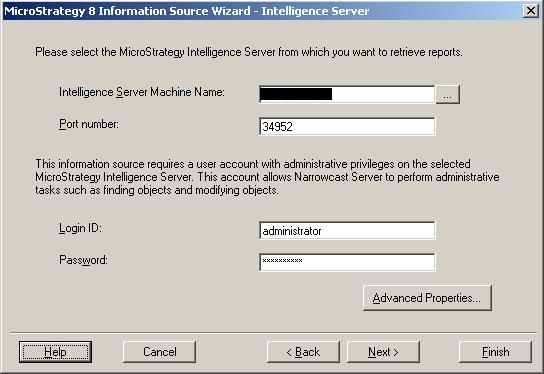
Check the Information Source Wizard for the ISM to ensure the correct machine name and port are specified for the Strategy Intelligence Server, the Administrator user and password is correct, and the desired project is selected.