EducationSoftwareStrategy.com
StrategyCommunity

Knowledge Base

Product

Community

Knowledge Base

TopicsBrowse ArticlesDeveloper Zone

Product

Download SoftwareProduct DocumentationSecurity Hub

Education

Tutorial VideosSolution GalleryEducation courses

Community

GuidelinesGrandmastersEvents
x_social-icon_white.svglinkedin_social-icon_white.svg
Strategy logoCommunity

© Strategy Inc. All Rights Reserved.

LegalTerms of UsePrivacy Policy
  1. Home
  2. Topics

KB17571: After removing a metric from a report that is part of a Report Services document, the document still appears as dependent object of the metric in Microstrategy Developer 9.4.x-10.x


Stefan Zepeda

Salesforce Solutions Architect • Strategy


If a user removes a metric from a report that is part of a Report Services document, the document still appears as dependent object of the metric in Microstrategy Developer 9.4.x-10.x

SYMPTOM:
If a user removes a metric from a report that is part of a Report Services document, the document still appears as dependent object of the metric in Strategy Developer 9.4.x-10.x.
 
STEPS TO REPRODUCE:
Follow the steps below to reproduce this issue:
  • Create a copy of Profit with that name 'Copy of Profit.'
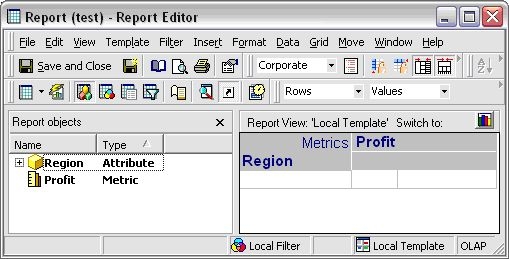
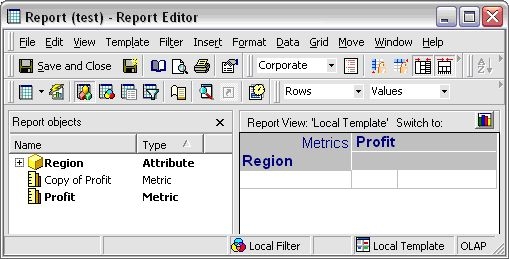
  • Create a report with Region, Profit in the template. Add 'Copy of Profit' in the report objects window (OLAP report), as shown below:
ka02R000000kcOkQAI_0EM440000002Ey1.jpeg
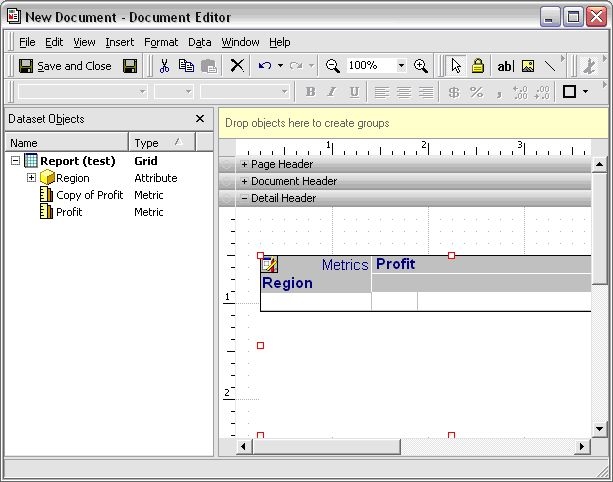
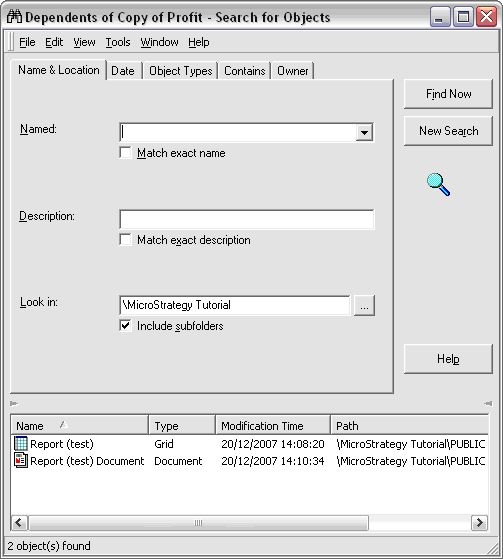
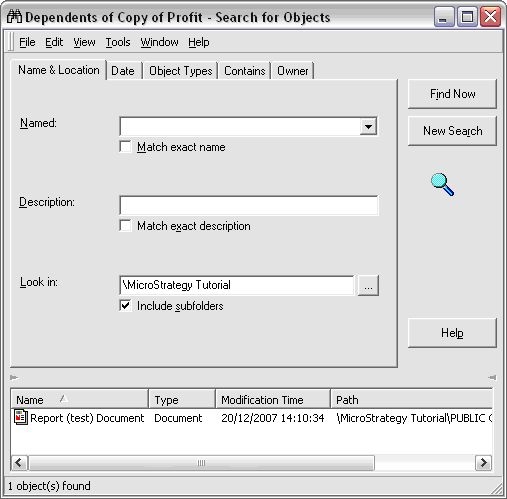
  • Create a document based on the saved report. When searching for the dependants of 'Copy of profit', the document just created will appear, as shown below:
ka02R000000kcOkQAI_0EM440000002Ey7.jpeg
ka02R000000kcOkQAI_0EM440000002KJI.jpeg
  • Go back to the report and remove 'Copy of Profit' from the report objects, as shown below:
ka02R000000kcOkQAI_0EM440000002Exx.jpeg
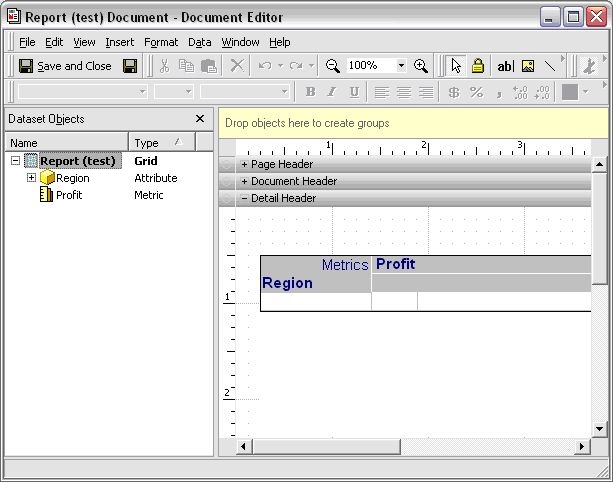
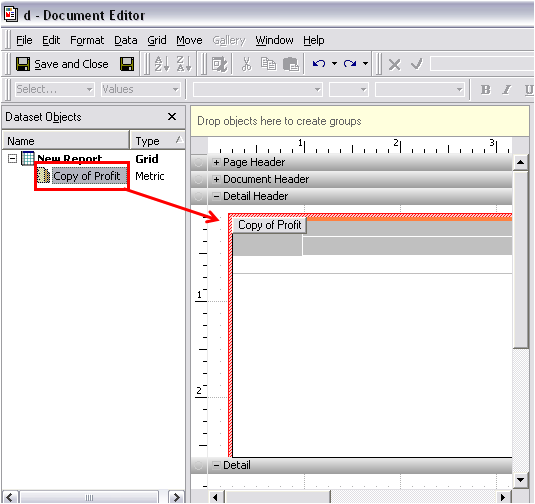
  • Open the document and notice that the metric 'Copy of Profit' was removed from the dataset. However, when searching for dependants for that metric, the document will still appear as a dependant, as shown below:
ka02R000000kcOkQAI_0EM440000002Exz.jpeg
ka02R000000kcOkQAI_0EM440000002KJN.jpeg

CAUSE:
When the user adds a report to a document body, a copy of the report template is generated in the document, so any changes to the report outside the document are not reflected in the document itself. This is working by design because it is preventing any changes from outside the document to affect the formatting or design of the document itself.
 
ACTION:
With a regular report, since users can see the metrics in the grid, they can just remove them from the document and the dependency is gone. However, with OLAP, since users are not able to see them directly, there is no other way to remove it than to re-add the report to the document body.
 
WORKAROUND:
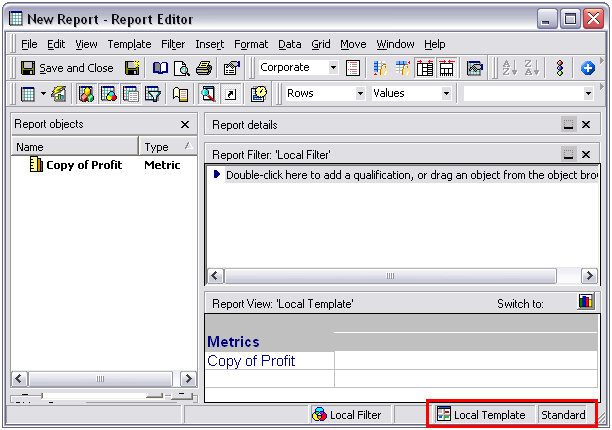
  • Create a report with the metric 'Copy of Profit'. Save this report as non-OLAP report.
ka02R000000kcOkQAI_0EM440000002Exb.jpeg
  • Add this report to the document.
  • In the document, edit grids with dependency on the metric 'Copy of Profit'. Add the metric to grids and save close the document. >
ka02R000000kcOkQAI_0EM440000002Ey3.jpeg
  • Open the document editor again, and remove the report dataset.
  • The dependency to the metric in this document should be removed.

Comment

0 comments

Details

Knowledge Article

Published:

April 28, 2017

Last Updated:

April 28, 2017