SYMPTOM:
When a user attempts to run a training report to create a predictive metric using the Strategy Training Metric Wizard, the report gives the following error:
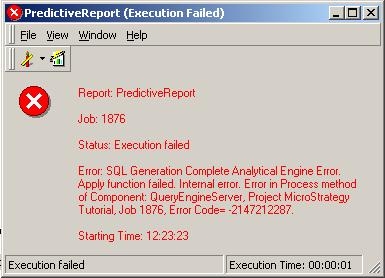
Error SQL Generate Complete. Analytical Engine Error. Apply Function Failed. Internal Error. Error in Process method of Component: QueryEngineServer, Project Strategy Tutorial, Job 1876, Error Code=-2147212287
NOTE: This error can also occur in Strategy 8.0.3 and older. See the following Strategy Knowledge Base technical note for more information:
KB17578: ‘Error SQL Generate Complete. Analytical Engine Error. Apply Function Failed.’ error message appears when running a training metric report to create a predictive metric with the MicroStrategy Training Metric Wizard
There are additional messages in the DSSErrors.log:
CDmxModelsNNGEN::CalcIndVarInfo(4835): Data type 0x00000009 not supported.
DMX] CDmxModelsNNGEN::CalcIndVarInfo(5333): Unsupported dataType
Dimensional Storage] Analytical Engine Error. Apply function failed. Internal error.
CAUSE:
One of the metrics specified in the training metric definition is based on an unsupported data type. In this case, data type 0x00000009 corresponds to the datetime data type. Currently the Training Metric Wizard only supports metrics which return numbers.
ACTION:
Ensure all metrics used as dependent, independent, and tree-level metrics in the training wizard will return a number.
If a date must be used in the predictive metric calculation, the Strategy DaysBetween function may be used in the metric expression to calculate the number of days since a given reference date. For example, where is a fact and is Max():
DaysBetween('2001-01-01', )
Will return an integer number of days since January 1, 2001 against a SQL Server database. The date format may need to be modified for other databases.
