EducationSoftwareStrategy.com
StrategyCommunity

Knowledge Base

Product

Community

Knowledge Base

TopicsBrowse ArticlesDeveloper Zone

Product

Download SoftwareProduct DocumentationSecurity Hub

Education

Tutorial VideosSolution GalleryEducation courses

Community

GuidelinesGrandmastersEvents
x_social-icon_white.svglinkedin_social-icon_white.svg
Strategy logoCommunity

© Strategy Inc. All Rights Reserved.

LegalTerms of UsePrivacy Policy
  1. Home
  2. Topics

KB17719: In MicroStrategy Developer, export settings can not be saved for more than one export application


Stefan Zepeda

Salesforce Solutions Architect • Strategy


In MicroStrategy Developer, users can set export settings on a report, however, such export settings can only be set for one export application at a time.

SYMPTOM:
In Strategy Developer, users can set export settings on a report, however, such export settings can only be set for one export application at a time.
 
Consider following scenario:
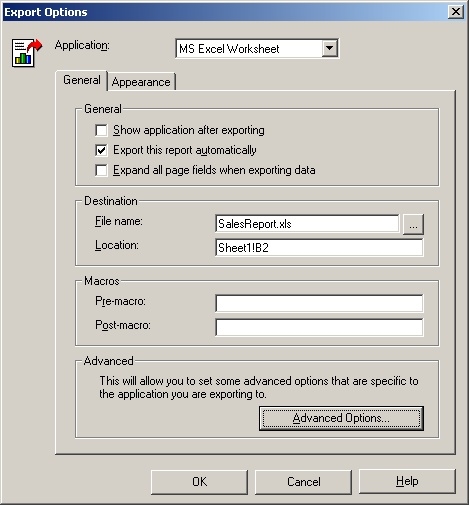
 

  • The user sets export options for exporting a report to Microsoft Excel and saves the report, as shown below:
ka02R000000kYAvQAM_0EM440000002EyH.jpeg
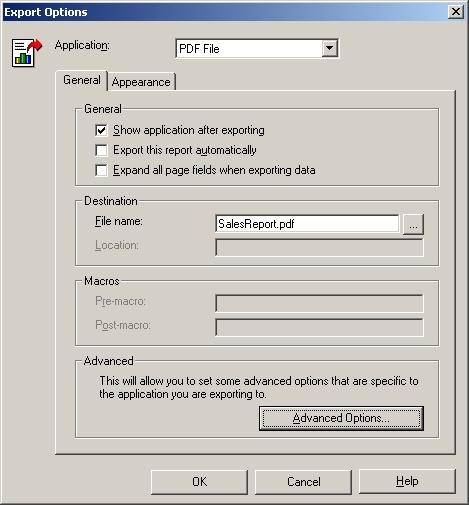
  • The user then opens the same report and sets export options for exporting to PDF; the report is saved again, as shown below:
ka02R000000kYAvQAM_0EM440000002EyL.jpeg
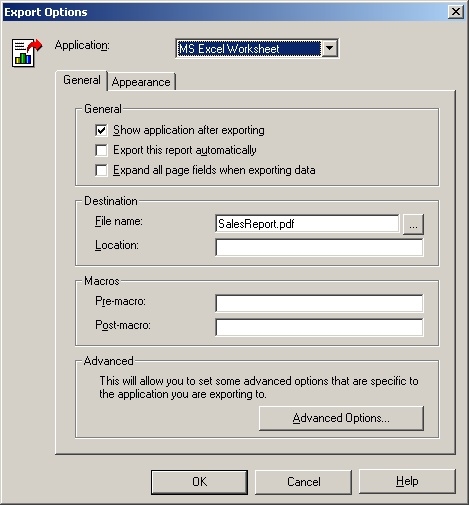
  • The user opens the same report again and checks the export options for exporting to Microsoft Excel. The settings are now the same as they were for PDF export. The setting specified for the Microsoft Excel report saved in Step One have been overwritten by the PDF export setting saved in Step Two, as shown below:
ka02R000000kYAvQAM_0EM440000002EyJ.jpeg

CAUSE:
This is a known issue with Strategy Developer.
 
ACTION:
Strategy will continue to investigate and post updates as soon as they are available.


Comment

0 comments

Details

Knowledge Article

Published:

June 9, 2017

Last Updated:

June 9, 2017