SYMPTOM:
When using out of the box Strategy Enterprise Manager 9.x reports on Users, typically only the user attribute 'Name' attribute form is displayed. This attribute form 'Name' maps to the 'Full Name' field in the Strategy Desktop User Editor. Similarly, the attribute form 'Description' maps to the 'Description' field in the Strategy Desktop User Editor.
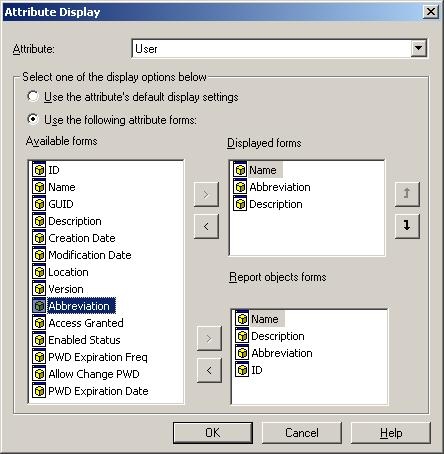
What is not as clear is the Desktop Login field in the Strategy Desktop User Editor. This maps to the 'Abbreviation' attribute form in Strategy Enterprise Manager 9.x.
Strategy Desktop User Editor:

Strategy Enterprise Manager 9.x report showing the User attribute and the Name, Abbreviation, and Description forms:

ACTION:
To display the Desktop Login user information in a Strategy Enterprise Manager 9.x report, use the 'Abbreviation' attribute form from the User attribute. If this form is not displayed, perform the following steps: