EducationSoftwareStrategy.com
StrategyCommunity

Knowledge Base

Product

Community

Knowledge Base

TopicsBrowse ArticlesDeveloper Zone

Product

Download SoftwareProduct DocumentationSecurity Hub

Education

Tutorial VideosSolution GalleryEducation courses

Community

GuidelinesGrandmastersEvents
x_social-icon_white.svglinkedin_social-icon_white.svg
Strategy logoCommunity

© Strategy Inc. All Rights Reserved.

LegalTerms of UsePrivacy Policy
  1. Home
  2. Topics

KB17781: Graph report shows a blank page in MicroStrategy Developer 9.x/10.x when opening the report graph format but works correctly in MicroStrategy Web 8.x


Stefan Zepeda

Salesforce Solutions Architect • Strategy


This technical note describes an issue in which a blank page is displayed in a graph format when using a third party remote access tool

SYMPTOM:
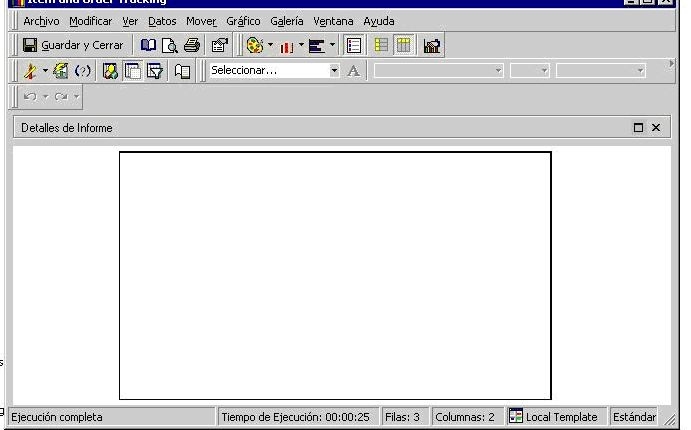
When trying to open a report in graph format in Strategy Developer 9.x/10.x, users will see a blank page, as illustrated below. However, the graph can be seen in Strategy Web 8.x.
 

ka02R000000kVHJQA2_0EM440000002Euv.jpeg

 
CAUSE:
One of the possible causes for graph reports not showing in Strategy Developer 9.x/10.x is the use of a third party remote access tool (such as Terminal Services). Strategy needs at least 256 colors to display graphs and at least 16 bits.
 
ACTION:
Make sure that any remote access tool meets the requirements mentioned above to be able to view graph reports in Strategy Developer 9.x/10.x connecting remotely.
 
17781


Comment

0 comments

Details

Knowledge Article

Published:

June 12, 2017

Last Updated:

June 8, 2018