EducationSoftwareStrategy.com
StrategyCommunity

Knowledge Base

Product

Community

Knowledge Base

TopicsBrowse ArticlesDeveloper Zone

Product

Download SoftwareProduct DocumentationSecurity Hub

Education

Tutorial VideosSolution GalleryEducation courses

Community

GuidelinesGrandmastersEvents
x_social-icon_white.svglinkedin_social-icon_white.svg
Strategy logoCommunity

© Strategy Inc. All Rights Reserved.

LegalTerms of UsePrivacy Policy
  1. Home
  2. Topics

KB17796: Images placed in the body of an email sent from MicroStrategy Narrowcast Server 9.x are not displayed


Community Admin

• Strategy


SYMPTOM:
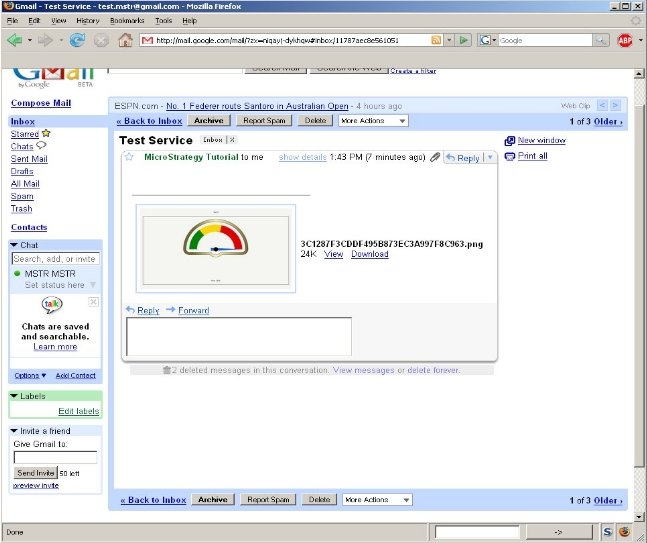
When a user sends an email with images placed into the message body from Strategy Narrowcast Server 9.x, these images are not displayed in the body but are displayed only as attachments, as shown in the image below:
 

ka04W000000OgoDQAS_0EM440000002BMl.jpeg

 
STEPS TO REPRODUCE:
Follow the steps below to reproduce this issue:
 

  1. Create a service in Strategy Narrowcast Server 9.x
  2. Insert a graph report into the message body.
  3. Send it to internet recipient.

CAUSE:
By default, MIME messages do not embed HTML content (such as the images) into the message body.
 
ACTION:
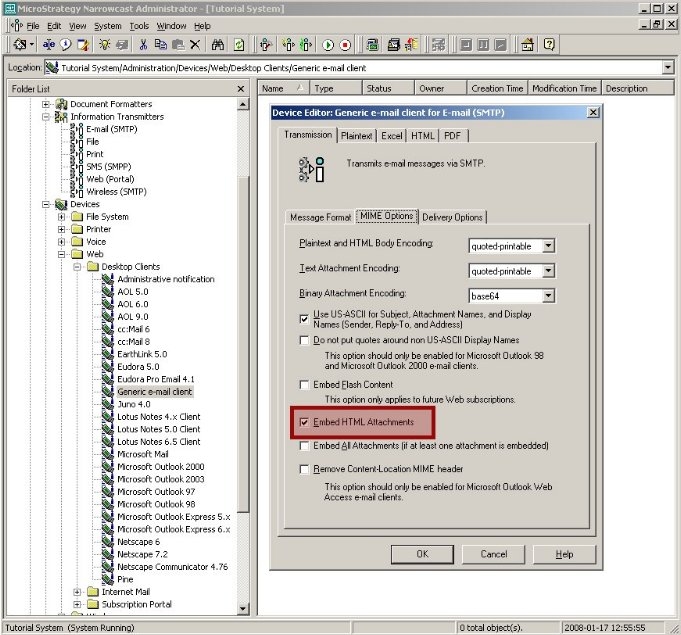
Go to Narrowcast Server Administrator > Administration > Devices > Web Clients > Email Client > Edit. Open MIME Options tab and check 'Embed HTML Attachments' option. Click OK.
 

ka04W000000OgoDQAS_0EM440000002BMn.jpeg

 
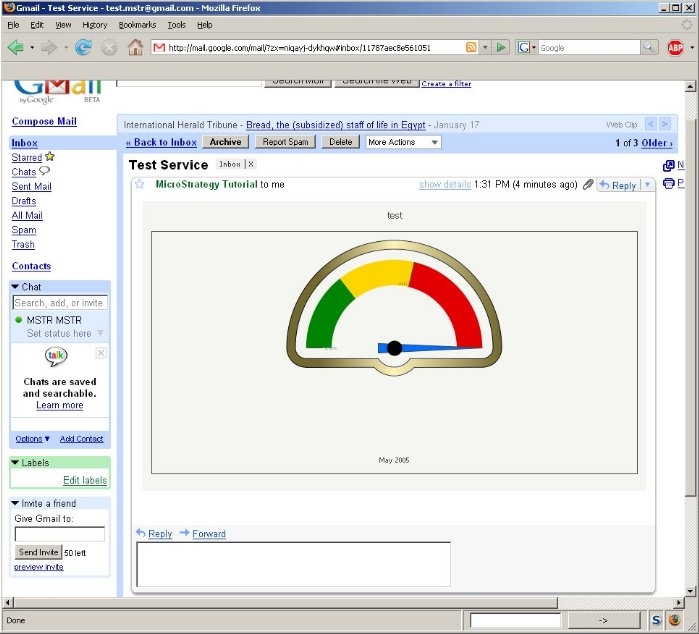
The images should now be embedded into the message body as shown below:
 

ka04W000000OgoDQAS_0EM440000002BMj.jpeg


Comment

0 comments

Details

Knowledge Article

Published:

June 8, 2017

Last Updated:

June 8, 2017