SYMPTOM:
User attempts to connect to a Sybase Adaptive Server 12.5 database using Strategy ODBC driver for Sybase Wire Protocol on Linux and the following error message is obtained:
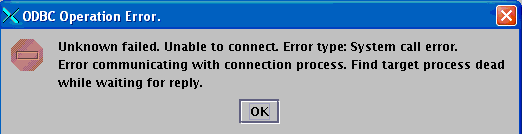
Unknown failed. Unable to connect. Error type: System call error. Error communicating with connection process. Find target process dead while waiting for reply.
The following messages are seen in the DSSErrors.log:
2007-12-04 14:37:51.306-05:00 Failed to read from pipe.
System Error (ENXIO): No such device or address
2007-12-04 14:37:51.358-05:00 Find target process dead while waiting for reply
2007-12-04 14:37:51.388-05:00 Unknown failed. Unable to connect. Error type: System call error. Error communicating with connection process. Find target process dead while waiting for reply.
The configuration involved in the above issue was:
The following are some salient points of the issue:
CAUSE:
The error occurs due to a known issue with a stored procedure (called sp_default_charset) from Sybase. When attempting the connect handshake with the Sybase Adaptive Server database, the Strategy Sybase Wire Protocol driver calls the Sybase stored procedure sp_default_charset, and expects to get one, and only one, row in response. Under some circumstances this stored procedure returns three rows. Since the driver has no way of knowing which of the three "defaults" is the correct overall default charset, it aborts the handshake and hence the error occurs.
To determine if the issue is due to above cause, execute the following command against the Sybase database:
exec sp_default_charset
If this stored procedure returns three rows, that confirms the issue is due to the above cause.
As per Sybase technical support, there is nothing wrong with the presence of multiple rows in the syscharsets table, but the stored procedure sp_default_charset should only return 1 row.
ACTION:
Modify this stored procedure sp_default_charset so that only 1 row is returned. This should resolve the connectivity error with the Strategy ODBC Driver for Sybase ASE Wire Protocol on Linux.
Third Party Software Installation:
WARNING:
The third-party product(s) discussed in this technical note is manufactured by vendors independent of Strategy. Strategy makes no warranty, express, implied or otherwise, regarding this product, including its performance or reliability.
17897
