SYMPTOM:
Users are unable to export or run any Microsoft Excel or PDF files from Strategy Web 9.x due to the following error:
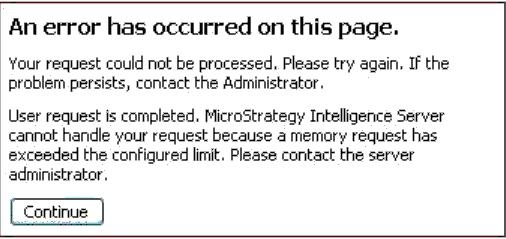
An error has occurred on this page.
Your request could not be processed. Please try again. If the
Problem persists, contact the Administrator.
User request is completed. Strategy Intelligence Server
cannot handle your request because a memory request has
exceeded the configured limit. Please contact the server administrator
CAUSE:
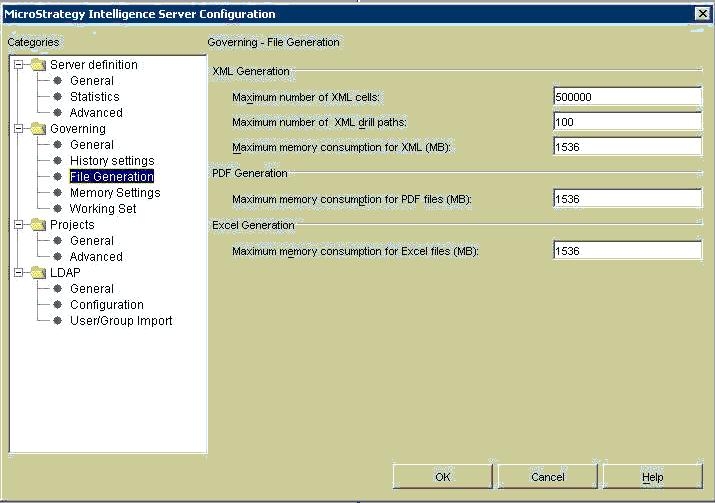
Upon reconfiguring the server definition, the following information is found in the DSSError.log:
PrintServerDef: RW Max Memory governing: PDF = 1, XML = 1, Excel = 1
This indicates that the server definition is not taking the values set in Strategy Developer 9.x for server configuration.
ACTION:
Create new server definition for Strategy Intelligence Server. To do this, refer to the following Strategy Knowledge Base technical note:
KB14153 (KB5300-8X-0809): How to create a new Server Definition using Strategy Configuration Wizard in Strategy Intelligence Server 8.x
Upon creation of a new server definition, there are several settings to be reset to default values. For more information on this, refer to the following Strategy Knowledge Base technical note:
KB13546 (KB5303-801-0760): What Project Configuration settings are lost when the user deletes and recreates a Strategy Intelligence Server 8.0.1 definition?
