EducationSoftwareStrategy.com
StrategyCommunity

Knowledge Base

Product

Community

Knowledge Base

TopicsBrowse ArticlesDeveloper Zone

Product

Download SoftwareProduct DocumentationSecurity Hub

Education

Tutorial VideosSolution GalleryEducation courses

Community

GuidelinesGrandmastersEvents
x_social-icon_white.svglinkedin_social-icon_white.svg
Strategy logoCommunity

© Strategy Inc. All Rights Reserved.

LegalTerms of UsePrivacy Policy
  1. Home
  2. Topics

KB17954: Vertical Bar: Dual Axis Stacked graphs in MicroStrategy display zeros after enabling absolute values totals


Stefan Zepeda

Salesforce Solutions Architect • Strategy


This article notes a limitation for vertical dual bar axis graphs

SYMPTOM
Users get zeros displayed on Vertical Bar: Dual Axis Stacked graphs in Strategy after enabling absolute value totals.
 
STEPS TO REPRODUCE
Follow the steps below to reproduce this issue:
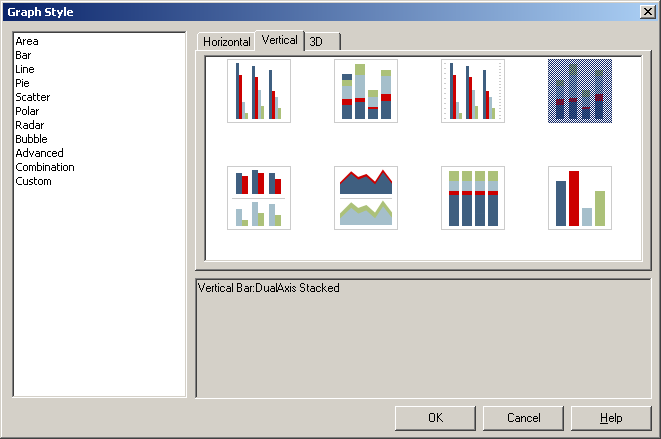
 

  • Create a Vertical Bar: Dual Axis Stacked graph with two attributes and two metrics, as shown below:
ka04W000001IwL3QAK_0EM440000002VAb.jpeg
  • Right click on the graph and select graph options.
  • Go to data labels tab.
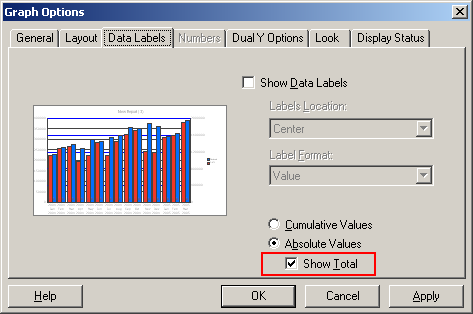
  • Select absolute values: show total, as shown below:
ka04W000001IwL3QAK_0EM440000002VAZ.jpeg
  • Click OK.
  • The graph displays totals at the top but also zeros at the bottom.

CAUSE
This works by design only for non dual-axis Vertical Stacked graphs only. The option shouldn't be available for dual-axis. It is actually not available for the other dual-axis graph styles.
 
ACTION
Change the graph style to Vertical Stacked only, not dual-axis. 


Comment

0 comments

Details

Knowledge Article

Published:

July 18, 2017

Last Updated:

August 24, 2022