SYMPTOM:
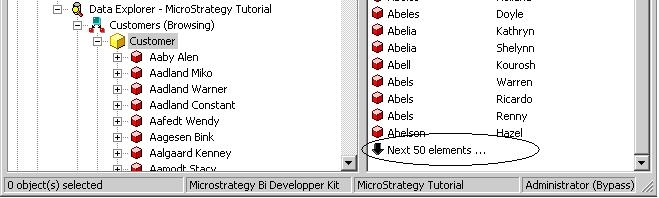
When expanding a hierarchy to view its attribute elements, users see the following error message in Strategy Developer:

QuerryEngine encountered error: The browsing result cannot be displayed because it exceeds the maximum row limit in governing:60 Error in Process method of Component: QuerryEngineServer, Project Strategy Tutorial, Job 1324, Error Code= -2147205439.
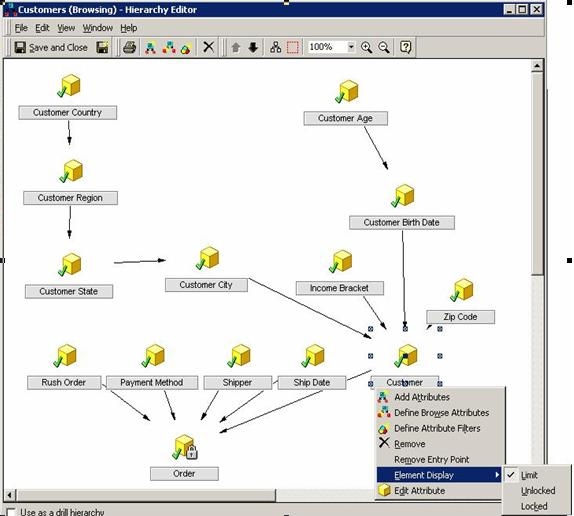
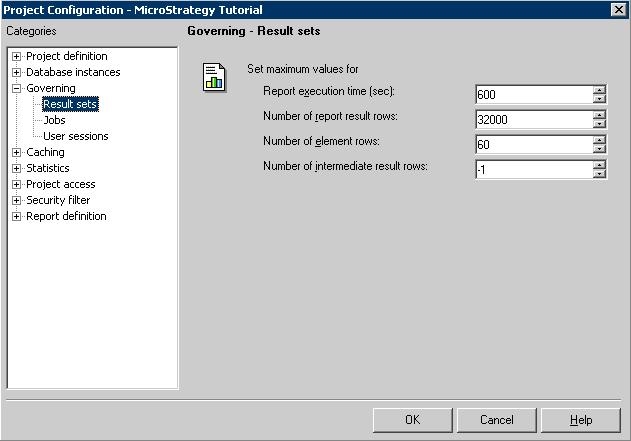
In this example, the maximum row limit in the project configuration is set to 60. In the data warehouse, the 'Customer' attribute has more than 60 elements, as shown below:
CAUSE:
In the Hierarchy Editor, users specify a limit to the number of rows returned to the client application during element browsing. This setting differs from the row governing setting in the project configuration.
The 'Number of result rows' setting in the Governing section (shown above) is the maximum number of rows that can be returned from the data warehouse. The Element Display 'Limit' for the hierarchy is the number of attribute elements that can be displayed at a time.
The SQL engine does not generate SQL to retrieve a specific number of rows at a time. Rather, when users are element browsing, the SQL to return all elements is generated and the result is returned into memory. Elements are pulled from memory based on the browsing limit defined for the hierarchy. This element browsing feature is designed to limit the number of attribute elements returned at a time during element browsing. Whether the 'limit' or 'unlocked' option is used, the same SQL is generated.
ACTION:
Increase the governing result set by performing the following steps.
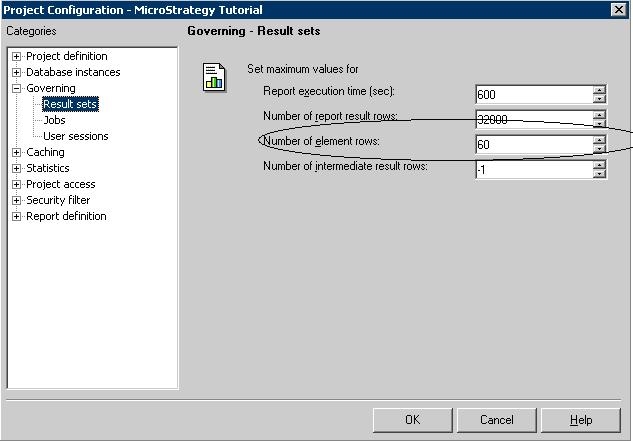
After performing these steps, users see the attribute elements as they attempt to browse with a set element display limit, as shown below: