SYMPTOM:
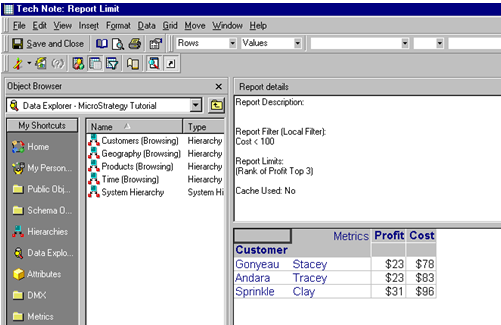
When running a report with two set qualification report filters and ranking, the report returns incorrect data in Strategy Developer
STEPS TO REPRODUCE:
Follow the steps below in the Strategy Tutorial project to reproduce the issue:


CAUSE:
In this situation, the report is not returning the desired results because the rank filter is being applied before the metric aggregation filter. The SQL is making a list of the 'Top 3 Customers by Profit' and is trying to find the customers with 'Dollar Sales < 500'.
The issue with combining these two filters (or any two metric filters) on a report is that one of the filters causes the other to come back with no data.
In this case, the Strategy Developer analytical engine first makes a list of the 'Top 3 Customers by Profit' and looks within that list for Customers that have 'Dollar Sales less than 500'. In this case, there were none (and even if there were, this is not the correct data on which to search.)
To correct this issue, the analytical engine needs to gather a list of the 'Customers with Dollar Sales less than 500' and take the 'Top 3 Customers by Profit' from that list.
ACTION:
To resolve this issue, users can set a report limit option. This option is used to force SQL engine to apply the set qualification filter based on the rank at the very end pass.
To set a report limit for a metric qualification, follow the steps below: