SYMPTOM
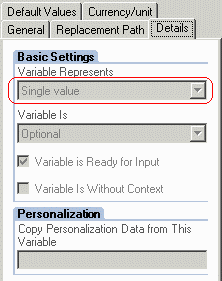
A cube is imported from SAP BW. The cube uses a hierarchy node variable to restrict query results, and this variable is configured to permit a single value only.
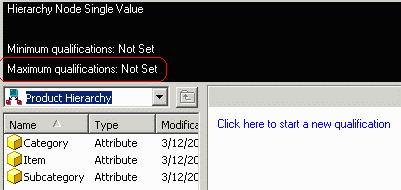
The variable is properly imported into Strategy 9.x as a hierarchy prompt, but users may observe that the prompt allows any number of answers. In the illustration below, if the prompt were correctly restricted to one answer, the highlighted text would read "Maximum qualifications: 1" instead of "Not set."
CAUSE
This behavior is the result of how hierarchy node variables are imported into Strategy.
A variable defined in SAP BW as a "characteristic value" variable may also be set to allow just one answer. In that case, the prompt object created within Strategy for this variable will set the maximum number of values to 1.
The same is not the case for hierarchy node variables. For this type of variable, the "single value" property is not imported. Default values defined within SAP for the variable are also not imported.
ACTION
After cube import, it is possible to set the maximum number of answers manually in the prompt. Please perform the following steps.
Consult the following Strategy Knowledge Base article for additional details on editing MDX Cube objects.
KB15408: How to access schema objects belonging to MDX Cube data sources for editing in Strategy Developer.
