SYMPTOM
When the 'History List Message Lifetime' setting is reached, caches become invalid as well in Strategy Intelligence Server 9.x.
STEPS TO REPRODUCE
Follow the steps below to reproduce this issue using the Strategy Tutorial project:


CAUSE
All History List messages older than the 'Message Lifetime' setting are deleted when this setting kicks in. Their associated history caches are also deleted. The user can only see this change when they log out of the project and log back in.
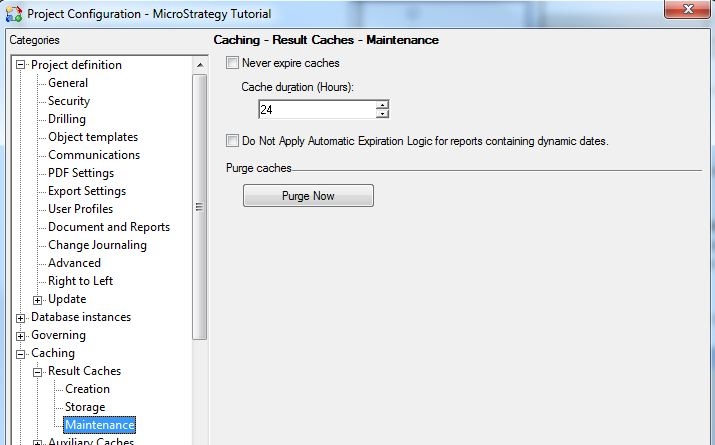
There is another setting at the Project Configuration level that is turned on by default (to a value of 24 hours) called 'Cache Duration (Hours)'. If the user sets the 'Message Lifetime (Days)' setting to a value greater than 1 day, then not only will it expire the History List messages older than 1 day but will also expire report caches older than 24 hours. This is why the user sees the cache becoming invalid as soon as the 'Message Lifetime' setting kicks in.
ACTION
Users can either check the setting 'Never expire report cache' or increase the 'Cache Duration (Hours)' to more than 24 hours, as shown below: