EducationSoftwareStrategy.com
StrategyCommunity

Knowledge Base

Product

Community

Knowledge Base

TopicsBrowse ArticlesDeveloper Zone

Product

Download SoftwareProduct DocumentationSecurity Hub

Education

Tutorial VideosSolution GalleryEducation courses

Community

GuidelinesGrandmastersEvents
x_social-icon_white.svglinkedin_social-icon_white.svg
Strategy logoCommunity

© Strategy Inc. All Rights Reserved.

LegalTerms of UsePrivacy Policy
  1. Home
  2. Topics

KB18465: Time out error occurs when attempting to save a dashboard in MicroStrategy Web


Community Admin

• Strategy


Time out error occurs when attempting to save a dashboard in MicroStrategy Web.

SYMPTOM
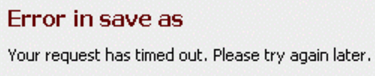
A user has edited a dashboard in design mode in Strategy Web and when trying to save the changes, the following time out error is displayed:
 

ka04W000000OdhPQAS_0EM440000002I7p.png

 
Error in save as
Your request has timed out. Please try again later.
CAUSE
This error occurs because the saving operation demands a higher time than the one allowed by Strategy Web.
 
ACTION
Perform the following actions in order to increase the 'Request time out' value in the Strategy Web Administrator page:

  • Log into the Strategy Web Administration Page as Administrator.
  • Go to the section 'Default properties'.
  • Increase the 'Request timeout' property, as illustrated below. The default value is 40 seconds.
ka04W000000OdhPQAS_0EM440000002I7u.png

Comment

0 comments

Details

Knowledge Article

Published:

April 6, 2017

Last Updated:

April 6, 2017