SYMPTOM:
The following error occurs when attempting to start Strategy Intelligence Server 9.x from the Strategy Service Manager:

Failed to start service
Unexpected error occurred.(::StartService() failed
System Error 0x0000042C (1068): The dependency service or group failed to start.)
When attempting to start Strategy Intelligence Server 9.x from the Microsoft Windows Service Manager a similar error message may be seen:
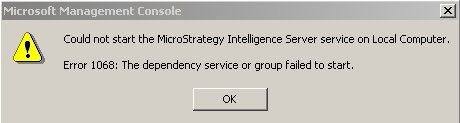
Could not start the Strategy Intelligence Server service on Local Computer
Error 1068: The dependency service or group failed to start.
Also, the following error is recorded in the System log in the Windows Event Viewer:
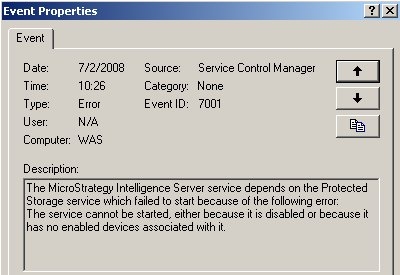
The Strategy Intelligence Server service depends on the Protected Storage service which failed to start because of the following error:
The service cannot be started, either because it is disabled or because it has no enabled devices associated with it.
CAUSE:
The Strategy Intelligence Server service depends on the Protected Storage service which failed to start. This is likely the case if the Protected Storage service is disabled or stopped in a manner that requires a manual restart. If this dependent service for the Intelligence Server is not running, the Intelligence Server will not start.
ACTION:
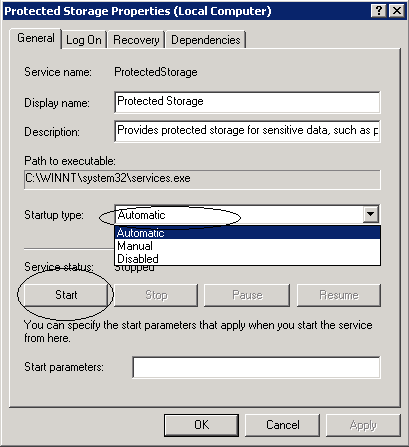
Open the Microsoft Services window and located the Protected Storage Service, as shown below:

Right-click on the Protected Storage service and select 'Properties'. Under the 'General' tab, under the 'Startup type' choose 'Automatic' to enable the service. Start up the service by clicking the 'Start' button then click 'OK' to save the changes, as shown below: