SYMPTOM:
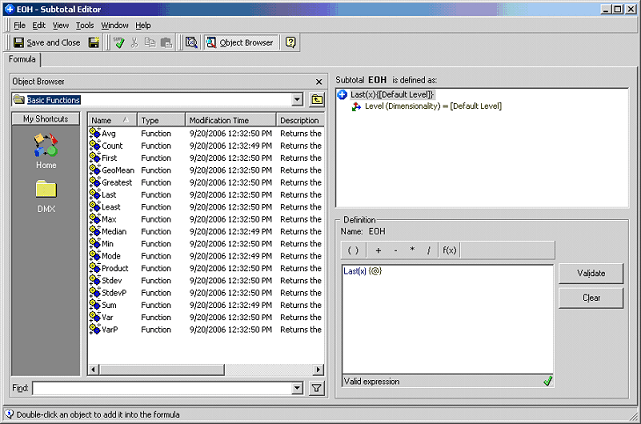
Users might want to create a grand total of an inventory metric based on the 'End on hand' metric. 'Last' is the function used to calculate subtotals for 'End on hand' metrics as mentioned in the following Strategy Knowledge Base article:
KB9666: How to create a custom subtotal using the “Last” function to display the Subtotal for an 'End on hand' metric in MicroStrategy Desktop
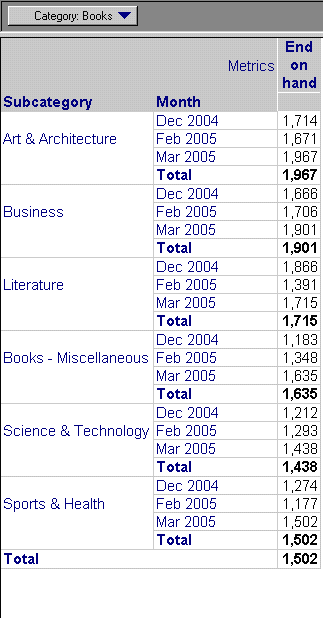
When including grand totals in a report, the 'Last' function will be used showing an incorrect number in the report, as shown below:
CAUSE:
The total will be calculated using the same 'Last' function which will select a value from all the subtotals calculated in the report. To calculate a subtotal of the inventory across an attribute based on time, the correct function is 'Last'. However, if the attribute is not based on time, the correct behavior will be the sum of all the subtotals.
ACTION:
To obtain the correct grand total of an inventory metric, users will have to create a subtotal based from an auxiliary metric, as described below:
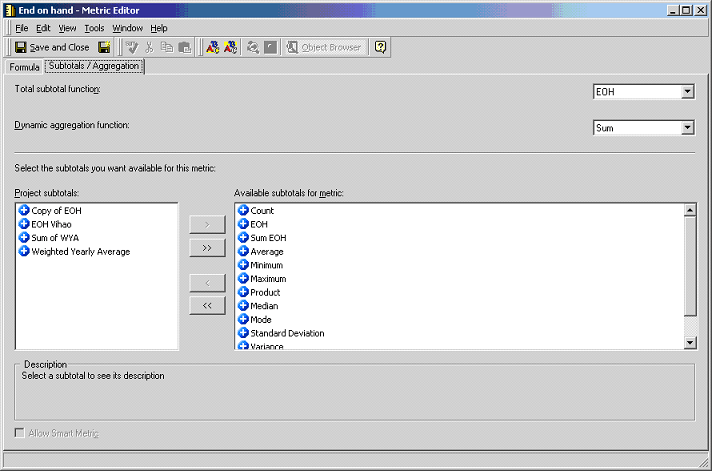
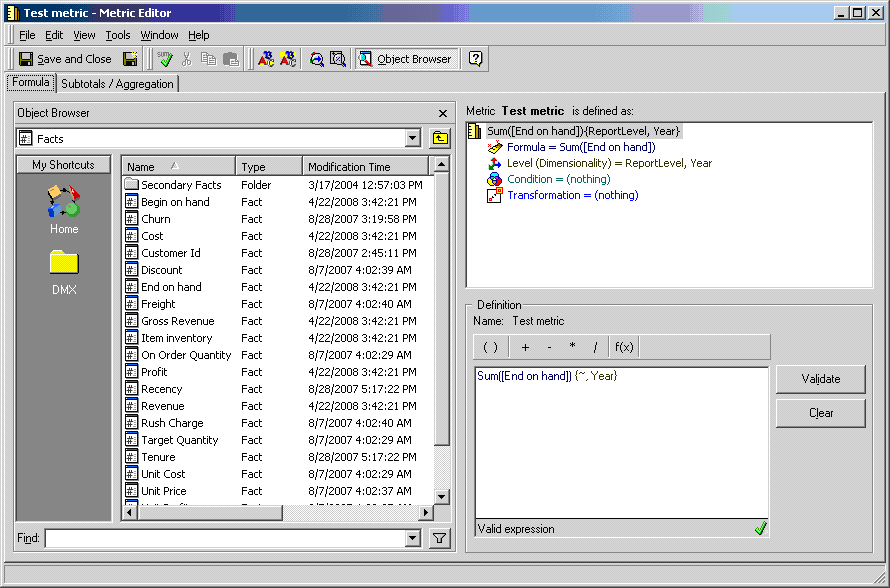
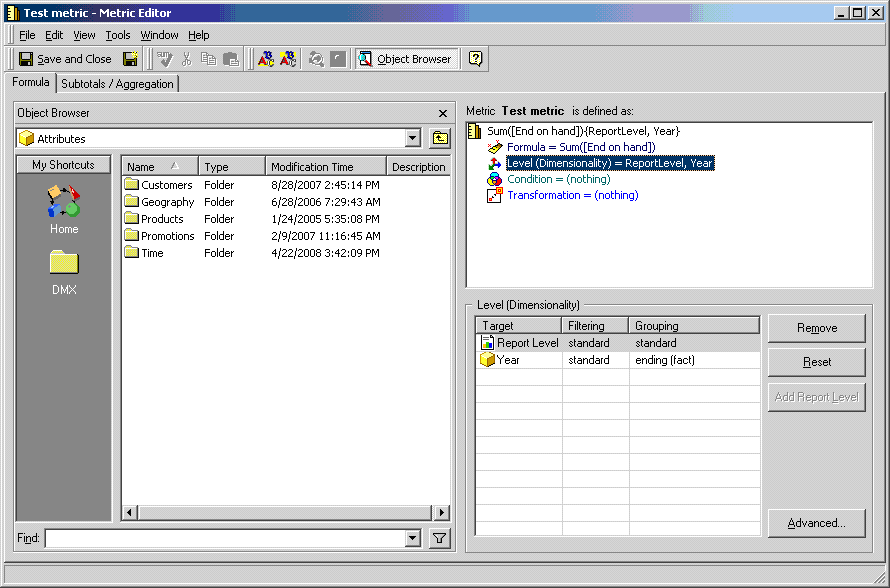

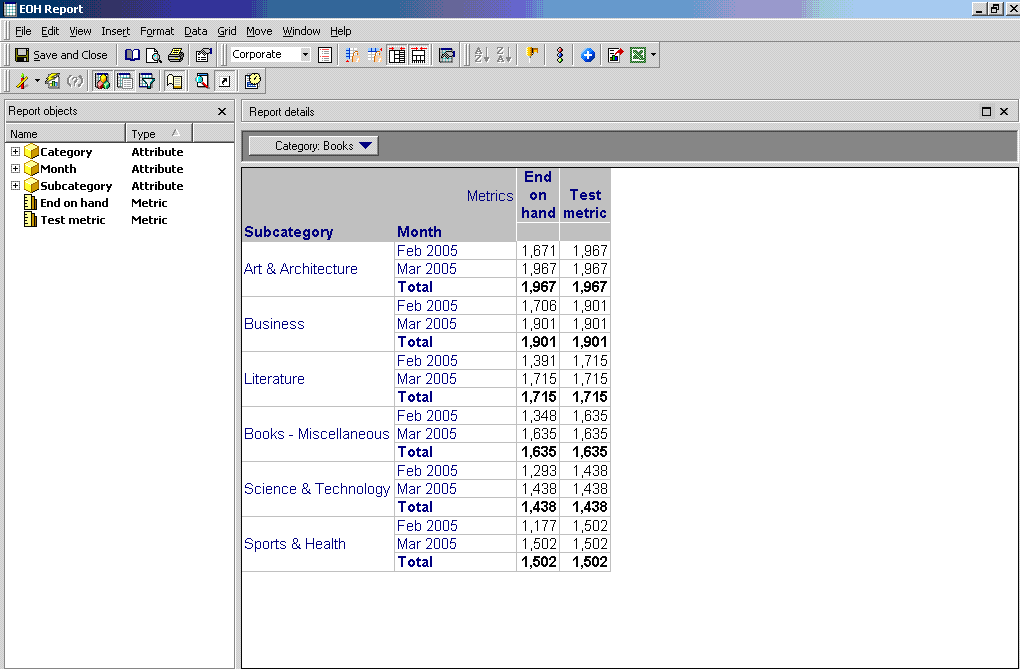
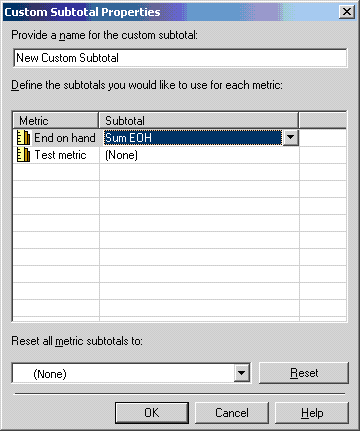

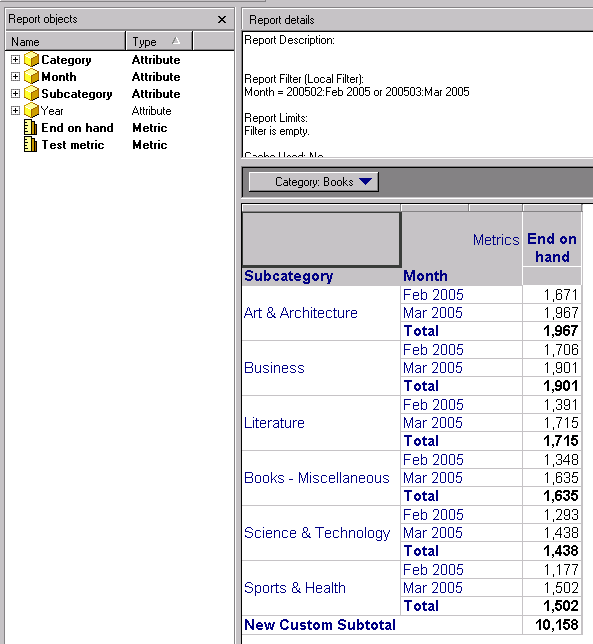
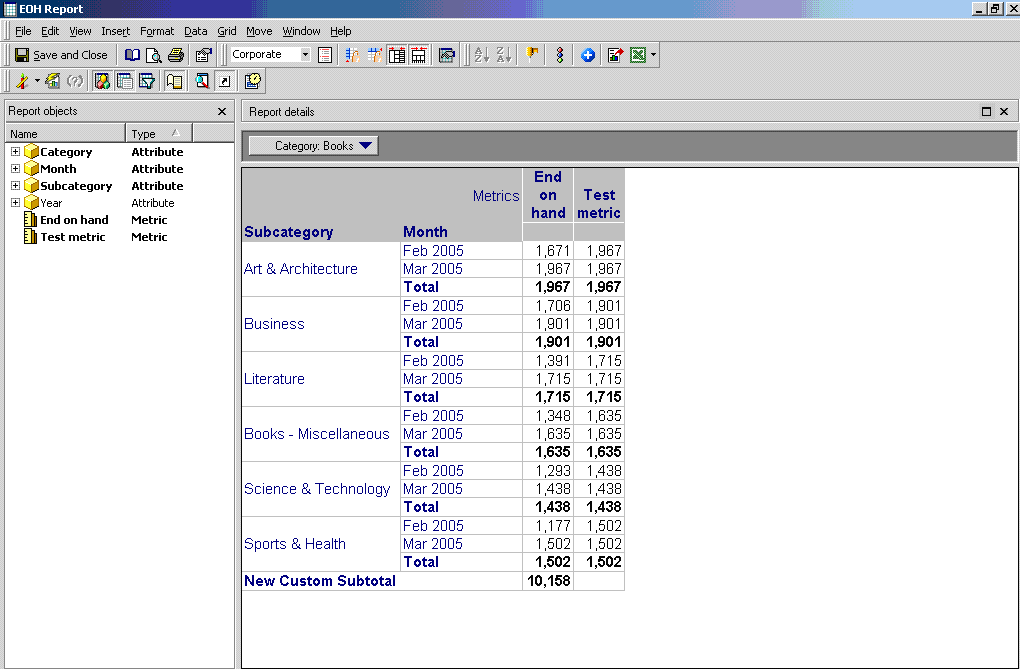
This will generate a report with the sum of all the 'End on hand' across subcategory, as shown below:
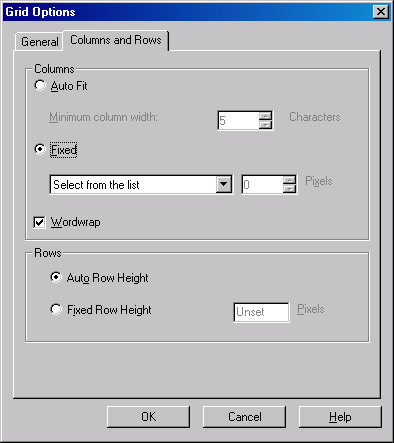
To hide the auxiliary metric, in the grid options menu from the Columns and Rows tab, change the selection to fixed, as shown below: