SYMPTOM:
When a user accesses the 'My Subscriptions' page in Strategy Web, the following error messages are seen and no History List subscriptions are visible:
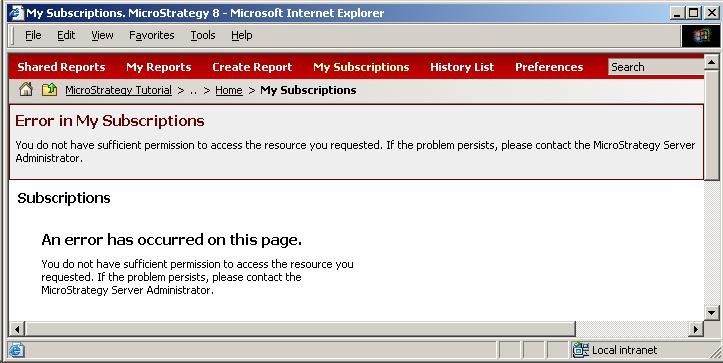
Error in My Subscriptions
You do not have sufficient permission to access the resource you requested. If the problem persists, please contact the Strategy Server Administrator.
Subscriptions
An error has occurred on this page.
You do not have sufficient permission to access the resource you requested. If the problem persists, please contact the Strategy Server Administrator.
In addition, the following message can be seen in the Strategy Weblogs:
(The user does not have Browse access to this Schedule Trigger object (ID is 'XXX')
CAUSE:
The user does not have Browse permissions for one of the schedules in the user's History List subscriptions.
NOTE: Other possible causes for this error message can be found in the following Strategy Knowledge Base technical notes:
ACTION:
Follow the steps below to resolve this issue:
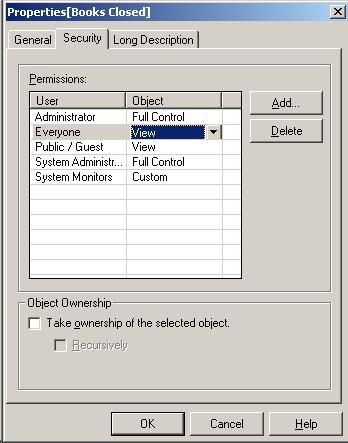
NOTE: By default, all new schedules are created with 'View' permissions for the Everyone group.
