EducationSoftwareStrategy.com
StrategyCommunity

Knowledge Base

Product

Community

Knowledge Base

TopicsBrowse ArticlesDeveloper Zone

Product

Download SoftwareProduct DocumentationSecurity Hub

Education

Tutorial VideosSolution GalleryEducation courses

Community

GuidelinesGrandmastersEvents
x_social-icon_white.svglinkedin_social-icon_white.svg
Strategy logoCommunity

© Strategy Inc. All Rights Reserved.

LegalTerms of UsePrivacy Policy
  1. Home
  2. Topics

KB18962: When duplicating a user with a security filter in MicroStrategy Developer, the duplicated user is not assigned to the security filter of the original user


Stefan Zepeda

Salesforce Solutions Architect • Strategy


When a MicroStrategy Administrator duplicates a user, the security filters tied to the original user are not tied to the new user.

SYMPTOM:
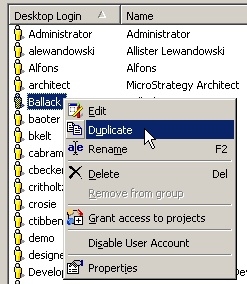
Strategy Administrators use the Duplicate User feature in Strategy Developer to create a copy of an existing user. The user that is being duplicated is linked to a security filter, as shown below:
 

ka02R000000kUljQAE_0EM440000002EoN.jpeg

 
After the user duplication, the Strategy Administrator will find that the duplicated user is not linked to the same security filter as the original user.
 
CAUSE:
This is working as designed. A security filter is not a direct property of a user. Instead, the security filter is an internal object (link object) that stores properties on a triple, consisting of a filter, a user, and a project. Each set of objects in the link is known as a link item. A new link item linking the duplicated user to the same security filter and the same project is not automatically created when duplicating the user object.


Comment

0 comments

Details

Knowledge Article

Published:

June 2, 2017

Last Updated:

June 2, 2017