EducationSoftwareStrategy.com
StrategyCommunity

Knowledge Base

Product

Community

Knowledge Base

TopicsBrowse ArticlesDeveloper Zone

Product

Download SoftwareProduct DocumentationSecurity Hub

Education

Tutorial VideosSolution GalleryEducation courses

Community

GuidelinesGrandmastersEvents
x_social-icon_white.svglinkedin_social-icon_white.svg
Strategy logoCommunity

© Strategy Inc. All Rights Reserved.

LegalTerms of UsePrivacy Policy
  1. Home
  2. Topics

KB18980: The graph option 'Show Total' does not display for Vertical Bar: Stacked graphs in dashboards in Flash Mode in MicroStrategy Web 9.x.


Community Admin

• Strategy


The graph option 'Show Total' does not display for Vertical Bar: Stacked graphs in dashboards in Flash Mode in MicroStrategy Web 9.x.

SYMPTOM:
When setting the graph option 'Show Total' in a dashboard, if the graph is a Vertical Bar: Stacked graph, the totals do not display in Strategy Web 9.x.
 
STEPS TO REPRODUCE:
Follow the steps below to reproduce this issue:
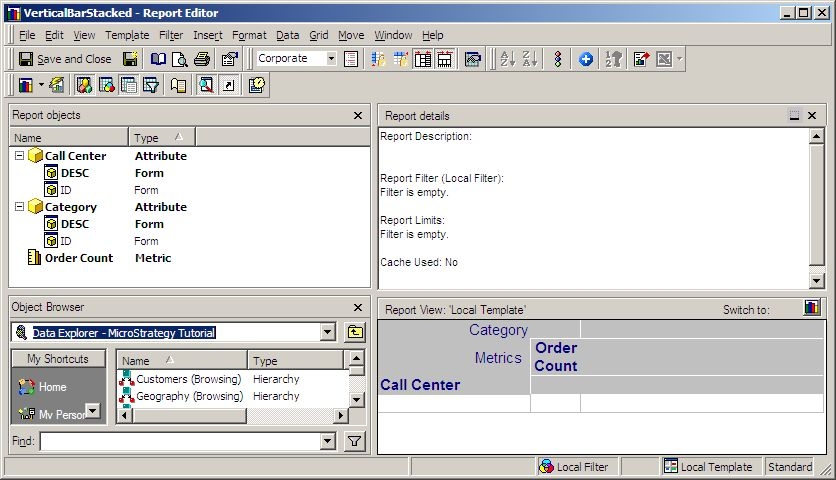
 

  • In Strategy Developer 9.x., create a report with Call Center in the rows and Category and Order Count in the columns, as illustrated below:
ka04W000000OgXMQA0_0EM4400000028Y0.jpeg
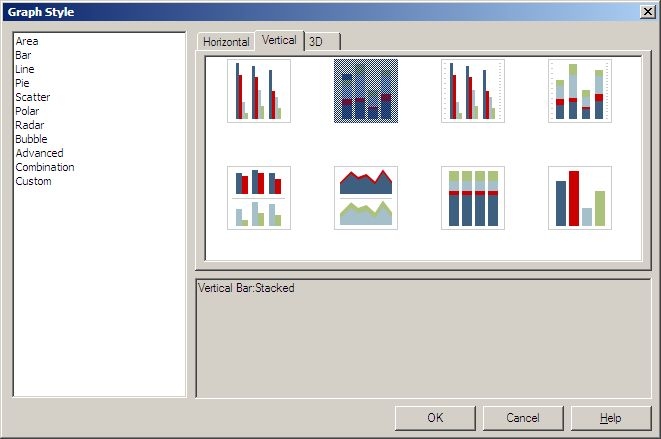
  • View the report in Graph Mode and choose Vertical Bar > Stacked, as illustrated below:
ka04W000000OgXMQA0_0EM4400000028Xy.jpeg
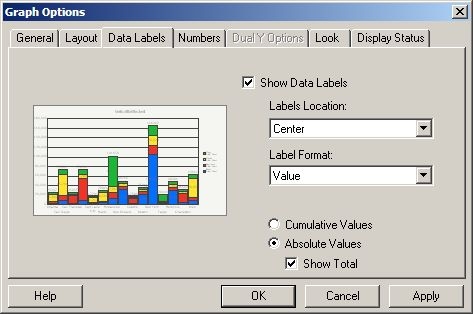
  • Right click the graph and choose Graph Options under Data Labels. Enable 'Show Data Labels', then check the Absolute Values radio button as well as the Show Total box, as illustrated below:
ka04W000000OgXMQA0_0EM4400000028YB.jpeg
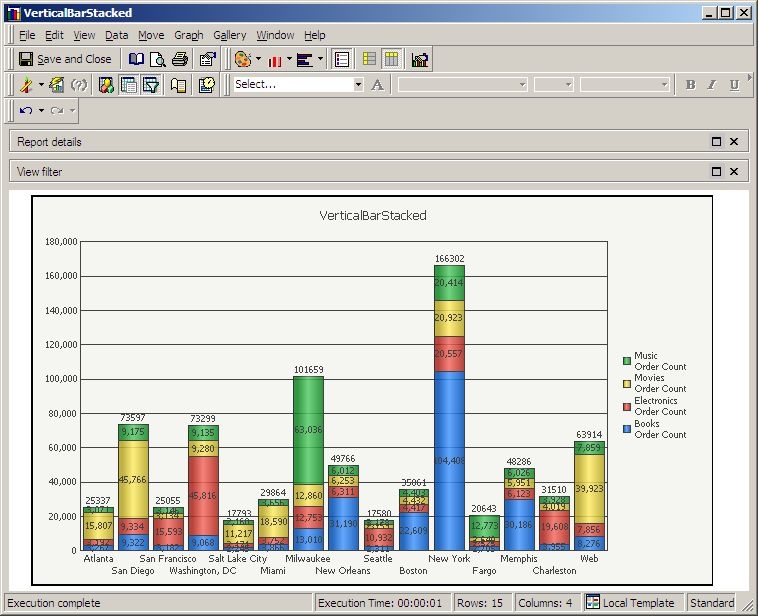
  • Click OK and verify that the totals show on top of each bar, as illustrated below:
ka04W000000OgXMQA0_0EM4400000028Y7.jpeg
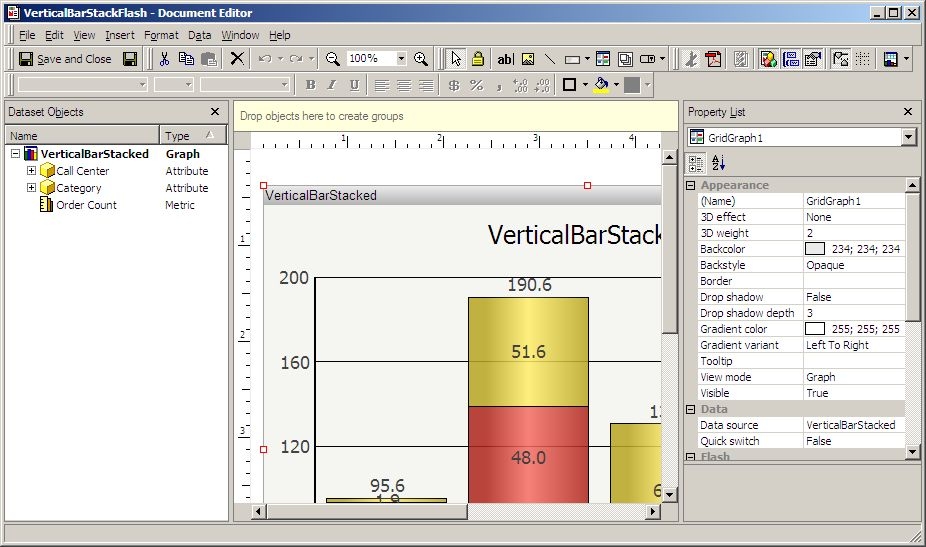
  • Use the report to create a dashboard that runs in both Interactive and Flash Mode, as illustrated below:
ka04W000000OgXMQA0_0EM4400000028YD.jpeg
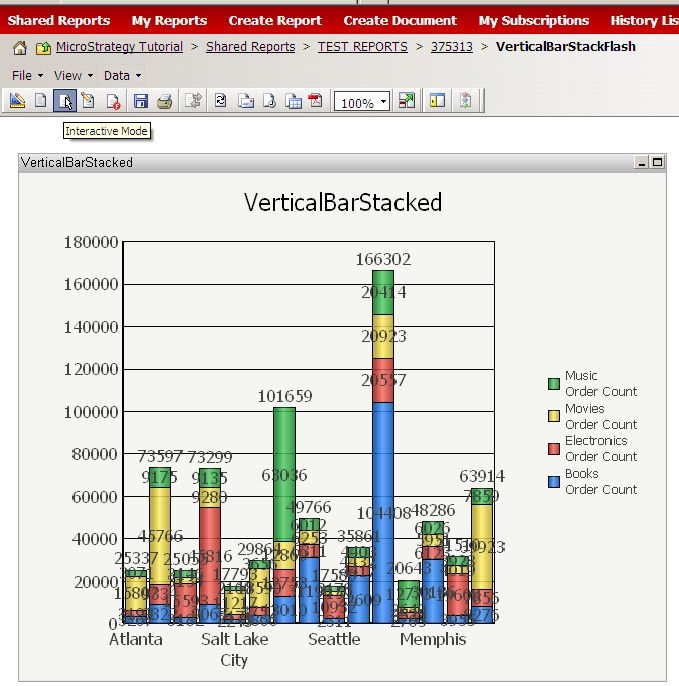
  • Run the dashboard in Interactive Mode. Notice that the graph shows the totals, as illustrated below:
ka04W000000OgXMQA0_0EM4400000028Xx.jpeg
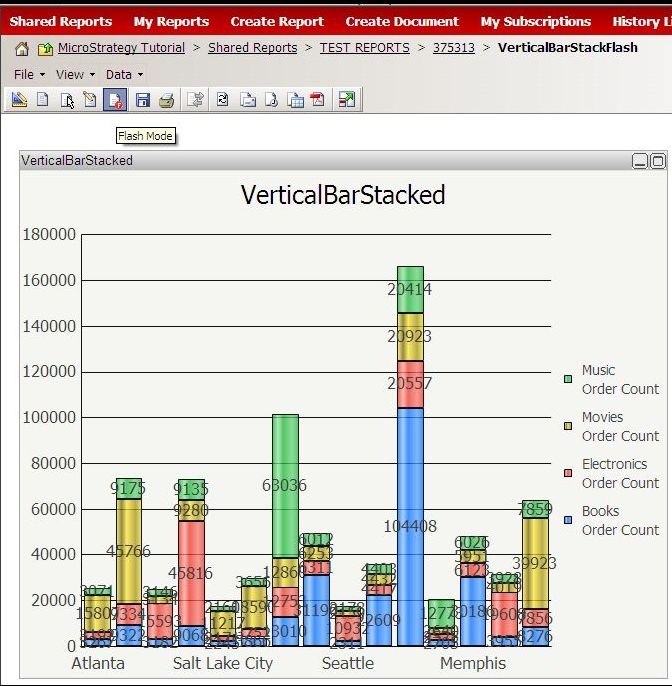
  • Run the dashboard in Flash Mode. Notice that the graph is missing the totals, as illustrated below:
ka04W000000OgXMQA0_0EM4400000028Y9.jpeg

CAUSE:
This is a known issue in Strategy Web 9.x.
 
ACTION:
Contact Strategy Technical Support for an update on the status of this issue.


Comment

0 comments

Details

Knowledge Article

Published:

June 16, 2017

Last Updated:

June 16, 2017