EducationSoftwareStrategy.com
StrategyCommunity

Knowledge Base

Product

Community

Knowledge Base

TopicsBrowse ArticlesDeveloper Zone

Product

Download SoftwareProduct DocumentationSecurity Hub

Education

Tutorial VideosSolution GalleryEducation courses

Community

GuidelinesGrandmastersEvents
x_social-icon_white.svglinkedin_social-icon_white.svg
Strategy logoCommunity

© Strategy Inc. All Rights Reserved.

LegalTerms of UsePrivacy Policy
  1. Home
  2. Topics

KB19185: ‘Server Error in ‘/MicroStrategy’ Application… Request timed out’ error is given when trying to access the MicroStrategy Web Administrator page in MicroStrategy Web


Community Admin

• Strategy


When an Administrator tries to access the MicroStrategy Web Administrator page, an error is yielded in MicroStrategy Web

SYMPTOM:
 
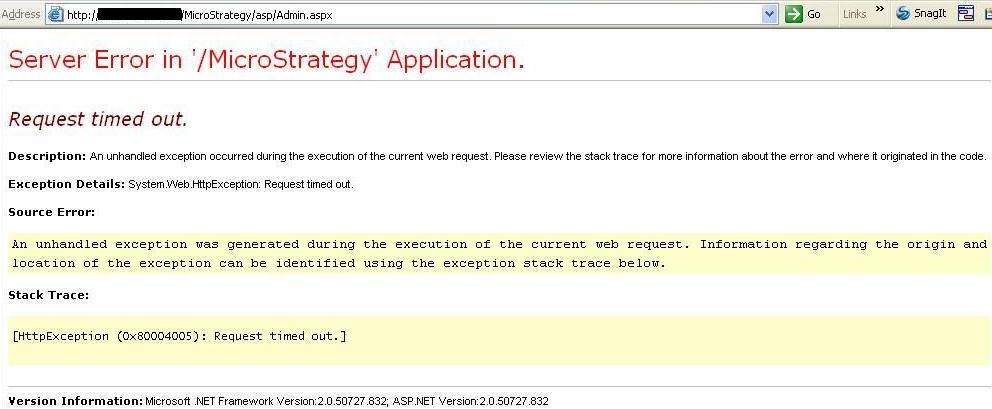
When an Administrator tries to access the Strategy Web Administrator page, the following error is given in Strategy Web:
 

ka04W000000OdhCQAS_0EM4400000028Ua.jpeg


Server Error in '/Strategy' Application.
 Request timed out.
 Description: An unhandled exception occurred during the execution of the current web request. Please review the stack trace for more information about the error and where it originated in the code. 
 Exception Details: System.Web.HttpException: Request timed out. 
 Source Error:
 An unhandled exception was generated during the execution of the current web request. Information regarding the origin and location of the exception can be identified using the exception stack trace below.
 Stack Trace:
 

Note: This error message is only thrown when trying to access the Strategy Web Administrator page. If the user tries to login to Strategy Web, the user can do so and run reports and report services documents successfully.
 
CAUSE:
One of the causes for this issue is that the security permissions of the connections and file access between Strategy Web and Strategy Intelligence Server have not been refreshed properly.
 
ACTION:
In order to refresh the security permissions of the connections and file access between Strategy Web and Strategy Intelligence Server, the user needs to perform the following actions in the order established:

  1. Restart Strategy Intelligence Server
  2. Restart the Web/Application server that hosts Strategy Web

Once these actions have been performed, the user will be able to access the Strategy Web Administrator page successfully and no error will be thrown.


Comment

0 comments

Details

Knowledge Article

Published:

April 5, 2017

Last Updated:

April 5, 2017