When using Strategy Web 9.x, users executing reports may need to know if the report hit cache or not to verify if the information is up to date.
The user will be able to confirm if the report hit cache by locating and verifying the "Last update" timestamp, located at the upper right corner of the report. If the timestamp indicates a time period from before the report finished executing, then this means the report was pulled from cache. If the "Last update" timestamp coincides with the actual time the report finishes executing, then the report did not hit cache, and if configured to create a report cache, it will either have generate a new cache or updated an existing cache.
For example:
After the execution of the following report, the user can verify the "Last update" timestamp to confirm that it is the same as the actual time when the report finished executing:
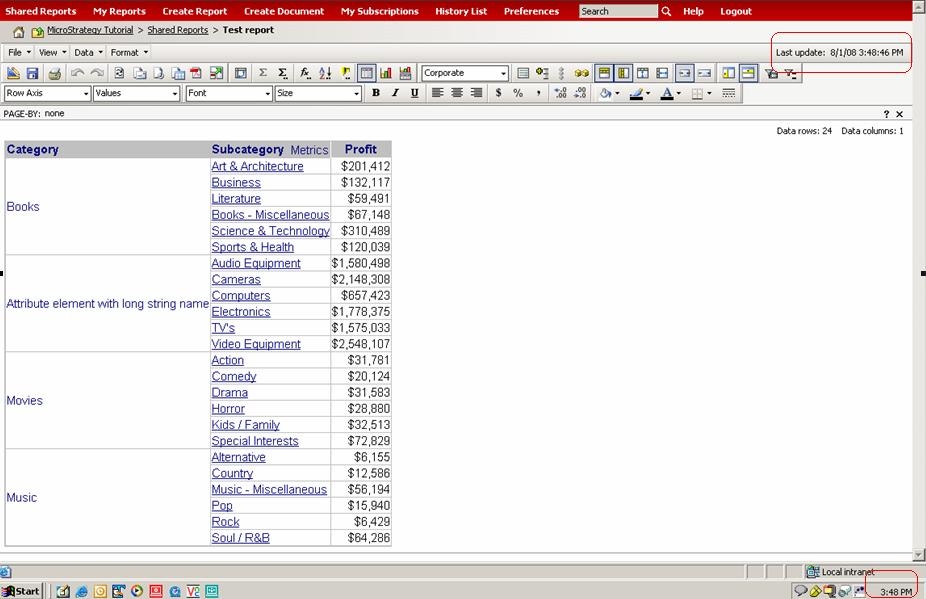
Both the timestamp and the machine clock indicate the same time.
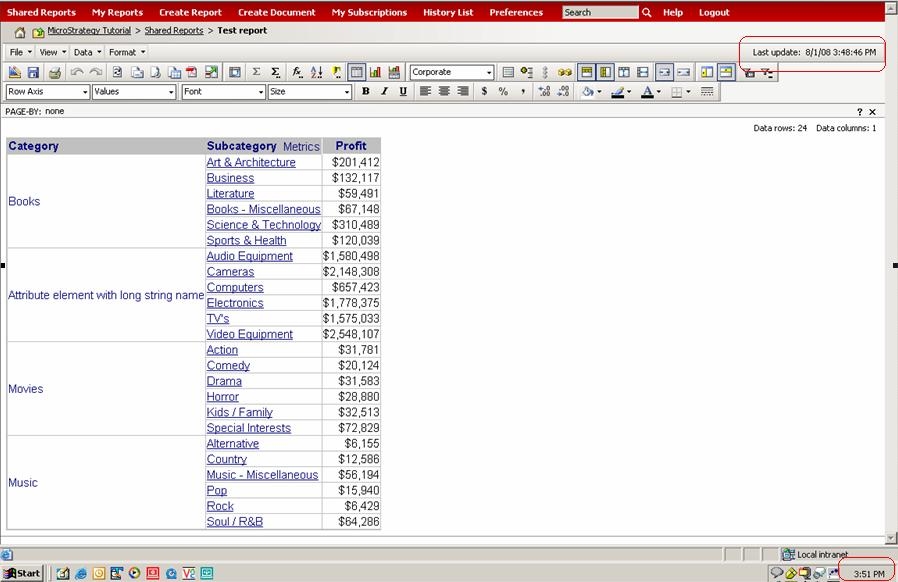
If a cache exists and the user runs the same report again, the "Last update" timestamp will NOT be the same as the machine's current time when the results come back. It will be an earlier time, which means that the report hit cache:
If the user is able to open and verify the Cache Monitor in Strategy Desktop 9.x, the entries will confirm the aforementioned behavior.

