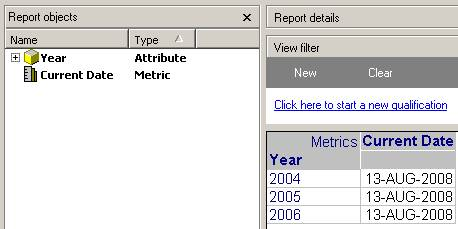
Users may want to create a report with a metric that has the current date of execution as a column on a report in Strategy Developer 9.x. The steps below give a detailed explanation on how to create a report that contains a metric based on another metric that will return a static string of data from the warehouse. The example is illustrated from the Strategy Tutorial project.
Follow the steps below to create a metric that shows the current date of execution as a column on a report:
The final result will look as below:

Note: The function above has been tested in Oracle. If users have a different database, they should contact the DBA to get the appropriate function to obtain the current date of the server. Below is a screenshot of the results received with the above ApplySimple metric: