SYMPTOM:
The following error message occurs when starting the Strategy Intelligence Server 9.x using the Strategy Service Manager:

Error getting default instance name
Unexpected error occured.(::OpenSCManagerW() failed
System Error 0x00000005 (5): Access is denied.)
Attempting to start the Strategy Intelligence Server 9.x from the Windows Services panel cause the following error:
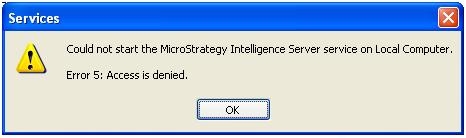
Could not start the Strategy Intelligence Server on Local Computer.
Error 5: Access is denied.
Using Strategy Command Manager 9.x to attempt to start/stop the Strategy Intelligence Server 9.x causes the following error to occur:

Not enough permission to start server 'XXXX'
Task(s) execution completed with errors.
CAUSE:
This error occurs when the Windows domain user account which is attempting to start/stop the Strategy Intelligence Server 9.x is not part of the 'Administrators' group on the Strategy Intelligence Server 9.x machine.
The Strategy Service Manager needs to access parts of the Windows registry when starting up, as does the Strategy Intelligence Server service in the Windows services panel. If the account used to login to the machine is a non-administrator account, the registry may not be accessed with all the required permissions causing the operation to fail.
ACTION:
Add the Windows domain user account to the 'Administrators' group or login to the Strategy Intelligence Server 9.x machine using another account which already has administrative privileges.
