SYMPTOM:
When any user including the Strategy 'Administrator' user tries to execute a Report Services document or dashboard, the following error is given from Strategy Web Universal:
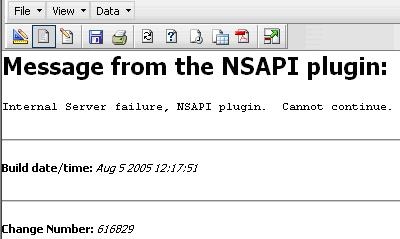
Message from the NSAPI plugin:
Internal Server failure, NSAPI plugin. Cannot continue.
At the time the error occurs, the following entry can be found in the Strategy Web log:
<record>
<package>com.Strategy.webapi</package>
<level>SEVERE</level>
<miliseconds>1192559893180</miliseconds>
<timestamp>10/16/**** 14:38:13:180</timestamp>
<thread>9</thread>
<class>MSIMsgBuf</class>
<method>ReadFromChannel</method>
<message>Request timeout. (com.Strategy.webapi.MSTRWebAPIException)</message>
<exception>com.Strategy.webapi.MSTRWebAPIException: Request timeout…
Another entry in the Strategy Web log that can be appreciated at the time this error occurs is the following:
Document Execution Failed: One or more dataset reports returned an error. (com.Strategy.webapi.MSTRDocumentException)
If the user reviews the contents of the BEA WebLogic 9.x error log (stdouterr.log)), the following entry can be appreciated around the time of the error:
Reason code: "00C90084", type of resource: "00000230", and resource name: "4K". SQLSTATE=57011
Error in Process method of Component: QueryEngineServer, <Strategy_Project_Name>
CAUSE:
One of the causes for this issue is if the database (RDBMS) heap size is not set to a high enough value to support the amount of data being requested during execution and ultimately this error is thrown by the BEA WebLogic 9.x NSAPI plugin.
This can be encountered when the end user is executing a Report Services document or dashboard that contains a lot of data, which is not restricted by a filter or too many elements are selected within the filtering criteria.
ACTION:
In order to resolve this issue the user can:
Note: The NSAPI plugin error is an error thrown by the BEA WebLogic 9.x Web/ Application server and not Strategy 8.x. The user should contact BEA WebLogic 9.x technical support if further information if needed about the source for this error.
