Users can modify the following value for 'Max number of XML cells' using Strategy Intelligence Server SDK 9.x, as shown below:
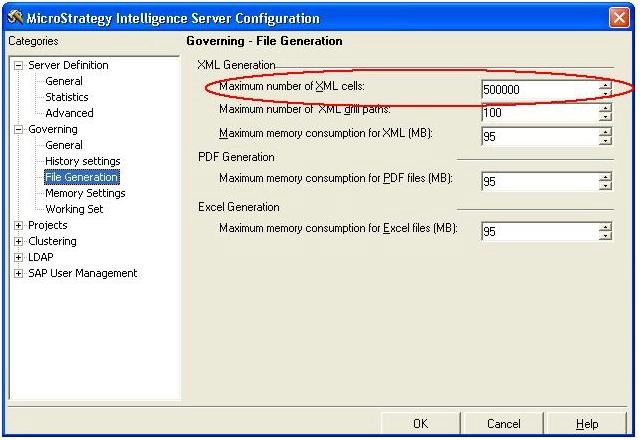
The code sample for changing the value shown above is given below:
`Get the Object Source
Set objObjSource = objSession.Component(DssRoleObjectSource)
`To have access to a project`s governing settings it is necessary to first access the Server definition stored in the project`s metadata as detailed in the following sample code:
Dim objSearch As IDSSSearch
Dim objServerDef As IDSSServerDef
Dim MyFolder As IDSSFolder
Dim objProjRef As IDSSProjectReference
'Search for the Server Definition object'
Set objSearch = objObjSource.NewObject(DssTypeSearch)
objSearch.NamePattern = "Strategy Tutorial" 'Specify the Server Definition'
objSearch.Domain = DssSearchRepository
objSearch.Types.Add (DssTypeServerDef)
Set MyFolder = objSearch.Execute
Debug.Print "Count" & MyFolder.Count
Set objServerDef = MyFolder.Item(1)
objServerDef.Setting(DssServerMaxXmlNodes) = "500020"
`Finally, save the project server definition and apply the changes.
objServerDef.Info.Save
