SYMPTOM:
When a user executes a report in Strategy 9.x and later, it may return with the following error message:
Exception occurred while writing data into the stream. Not enough memory
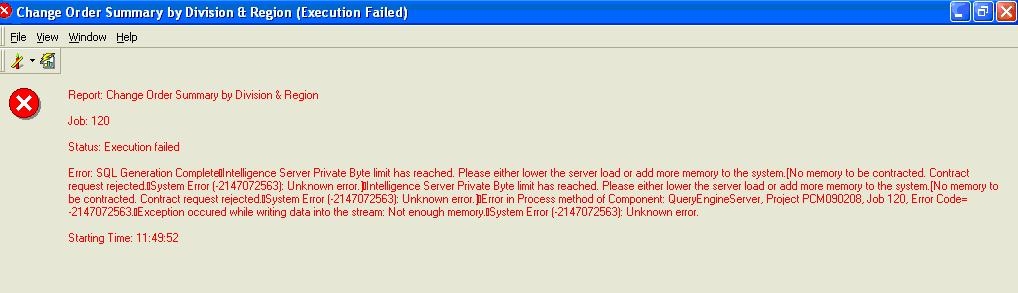
Additionally, the following error messages can be seen in the DSSErrors.log:
2008-09-15 10:43:47.700-08:00 SQLEngine got an Exception from DFC: No memory to be contracted. Contract request rejected.
System Error (-2147072563): Unknown error.
2008-09-15 10:43:48.043-08:00 Exception occurred while writing data into the stream: Not enough memory.
System Error (-2147072563): Unknown error.
CAUSE:
This issue occurs because the Strategy Intelligence Server process (MSTRSVR.exe) could not receive the data from the Strategy Multi-Process Database Connectivity process (M8MULPRC_32.exe). The M8MULPRC_32.exe process is similar to other processes running on an operating system and is constrained by the same limitations with respect to space and machine resources. When a machine's memory resources are low and/or the data set being returned from the database is very large, there may not be enough resources for the M8MULPRC_32.exe process to perform the appropriate functions.
When a report is being executed, the Structured Query Language (SQL) generated is sent to the M8MULPRC_32.exe process to be executed against the warehouse via Open Database Connectivity (ODBC). When the results are returned to the M8MULPRC_32.exe process, a serialized copy of the data is made and transferred back to either the Strategy Intelligence Server or Desktop. If there is not enough resources to generate this serialized copy, the above error message will appear.
The amount of memory that M8MULPRC_32.exe process requests from the operating system depends on the data types of the data that are being returned via ODBC. It is not the actual size of the data.
For example, in Windows, if a column has a data type of VarChar(5000) and the cell contains the word "bell" it will not take up ~8 bytes (2 bytes per character). It will actually take up ~10KB of memory (5000 x 2 bytes).
However, on a UNIX 64 bit system, VarChar is converted by Strategy to use wchar_t as its datatype. On UNIX, the size of wchar_t is 4. So in a Unix/Linux system, the word "bell" will not take up ~16 bytes (4 bytes per character) but will take up ~20KB of memory (5000 x 4 bytes).
Add that up for the number of rows and number of columns and you end up with a huge memory request.
Note: VarChar(MAX) which equates to a byte length of -1, can hold upto 32K of characters of data. So if an attribute datatype is set to VarChar(MAX), the total memory consumption per cell will be 32K*4 = 128K on Unix and 32K*2 = 64K on Windows.
ACTION:
The following actions can be taken to tune this system. These are just suggestions and can be applied based on report needs and system resources.
Refer to the following Strategy Knowledge Base technical notes for additional information:
