EducationSoftwareStrategy.com
StrategyCommunity

Knowledge Base

Product

Community

Knowledge Base

TopicsBrowse ArticlesDeveloper Zone

Product

Download SoftwareProduct DocumentationSecurity Hub

Education

Tutorial VideosSolution GalleryEducation courses

Community

GuidelinesGrandmastersEvents
x_social-icon_white.svglinkedin_social-icon_white.svg
Strategy logoCommunity

© Strategy Inc. All Rights Reserved.

LegalTerms of UsePrivacy Policy
  1. Home
  2. Topics

KB19511: “DSSSQLEngine: converting Report : The template in report is empty, or the objects on template can not be resolved. Please check report definition..“ error is thrown when browsing the elements of an attribute in the Data Explorer in MicroStrategy


Stefan Zepeda

Salesforce Solutions Architect • Strategy


This KB article discusses an error that may be encountered if using the Data Explorer to browse the elements of a newly-created attribute that was created in a three tier project source without first updating the schema.

SYMPTOM
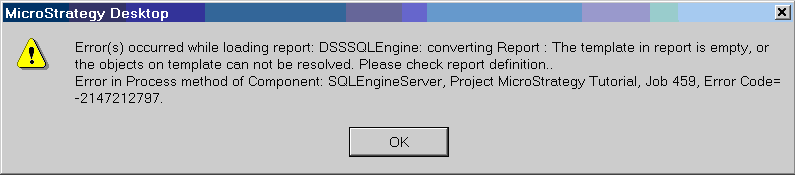
When browsing the elements of an attribute in the Data Explorer the error below is thrown:
ka04W000001Iv2rQAC_0EM440000002V1N.jpeg


Error(s) occurred while loading report: DSSSQLEngine: converting Report : The template in report is empty, or the objects on template can not be resolved. Please check report definition..
Error in Process method of Component: SQLEngineServer, (Project Name), Job ___, Error Code= -2147212797.


STEPS TO REPRODUCE
Follow the steps below to reproduce this error in the Strategy Tutorial Project:

  1. Create a new attribute in a three tier project source;
  2. Still working in the three tier project source, go to the Data Explorer for that project and expand the System Hierarchy.
  3. Find and click the attribute that was just created.

CAUSE
This issue happens when using the Data Explorer to browse the elements of a newly-created attribute that was created in a three tier project source without first updating the schema.
 
ACTION
The following must be done before a newly-created attribute can be used:

  1. If the attribute is created in a three-tier project source, the schema needs to be updated;
  2. If the attribute is created in a two-tier project source, the schema needs to be updated in 2-tier and then the 3-tier project needs to be reloaded.

Comment

0 comments

Details

Knowledge Article

Published:

July 18, 2017

Last Updated:

July 18, 2017