EducationSoftwareStrategy.com
StrategyCommunity

Knowledge Base

Product

Community

Knowledge Base

TopicsBrowse ArticlesDeveloper Zone

Product

Download SoftwareProduct DocumentationSecurity Hub

Education

Tutorial VideosSolution GalleryEducation courses

Community

GuidelinesGrandmastersEvents
x_social-icon_white.svglinkedin_social-icon_white.svg
Strategy logoCommunity

© Strategy Inc. All Rights Reserved.

LegalTerms of UsePrivacy Policy
  1. Home
  2. Topics

KB19517: How to create a nested prompt that only lists names that begin with a user-specified letter in MicroStrategy Developer


Stefan Zepeda

Salesforce Solutions Architect • Strategy


This article describes how users can create a nested prompt that only lists names that begin with a user-specified letter in MicroStrategy Developer.

To create a nested prompt in Strategy Developer that lists people whose last names begin with a user-specified letter, follow the steps below:
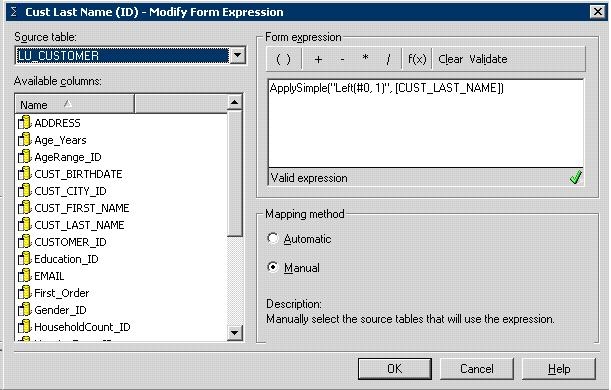
  • Create a new attribute with the following syntax:
ka02R000000kVoxQAE_0EM440000002EjW.jpeg
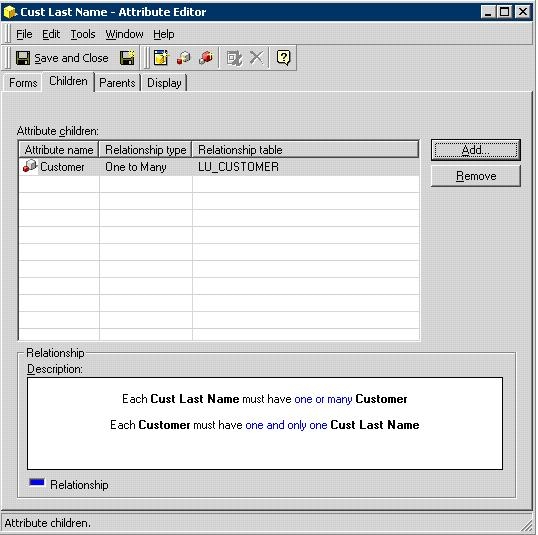
  • Make this attribute the 'Parent' of the Customer as shown below:
ka02R000000kVoxQAE_0EM440000002Ejc.jpeg
  • Create a user hierarchy with 'Cust Last Name' and 'Customer', as shown below:
ka02R000000kVoxQAE_0EM440000002EjQ.jpeg
  • Set both attributes to unlocked, as shown below:
ka02R000000kVoxQAE_0EM440000002EjU.jpeg
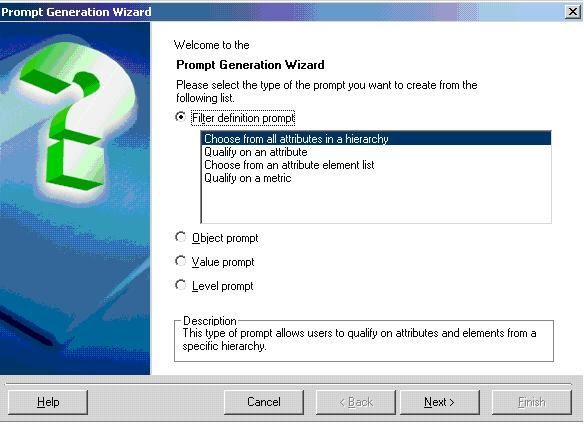
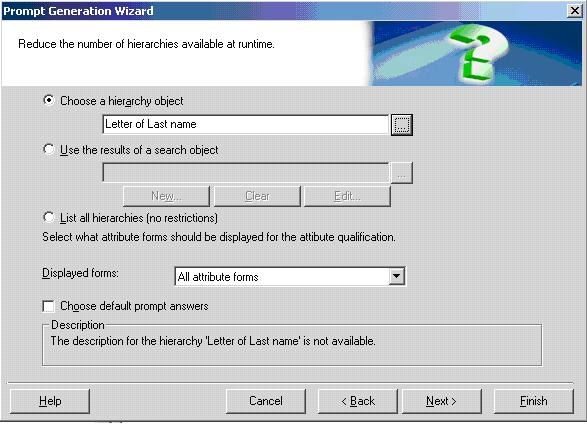
  • Create a 'Hierarchy Prompt' using the hierarchy created in step 3, as shown below:
ka02R000000kVoxQAE_0EM440000002EjY.jpeg
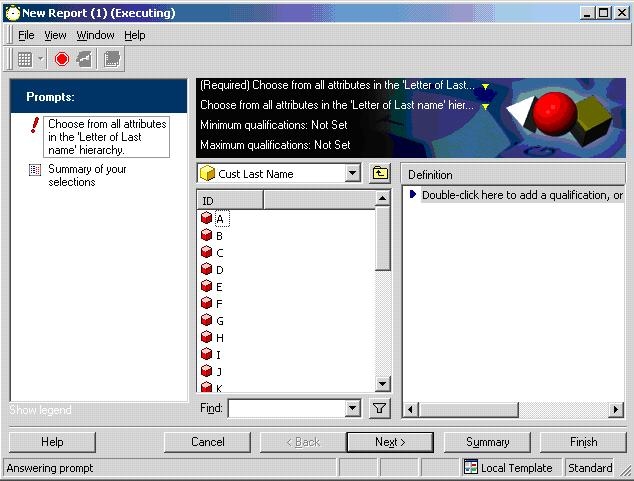
  • Include this prompt in the report and run the report. The prompt appears as follows:
ka02R000000kVoxQAE_0EM440000002Ejf.jpeg
ka02R000000kVoxQAE_0EM440000002Eja.jpeg

Refer to the following Strategy Knowledge Base technical note for additional information:
KB5490 (KB4000-071-0376): How to create a prompt-in-prompt in Strategy Developer and newer


Comment

0 comments

Details

Knowledge Article

Published:

May 23, 2017

Last Updated:

May 23, 2017