Sometimes it may be required to place the subtotal result of one metric below another metric. This can be implemented in several ways including the creation of dedicated Report Services document. This technical note describes a faster approach that makes use of custom subtotals in Strategy Developer 9.x-10.x.
These steps describe how to achieve such a result when the two metrics are not related. ( e.g. they are not based on the same fact tables ), and they are simple metrics ( not derived or compound ).
If the two metric have a fact in common, this procedure will not work, as the subtotal is considered part of its metric and therefore the metric will be defined in terms of itself.
The procedure will be illustrated using the Strategy Tutorial project:
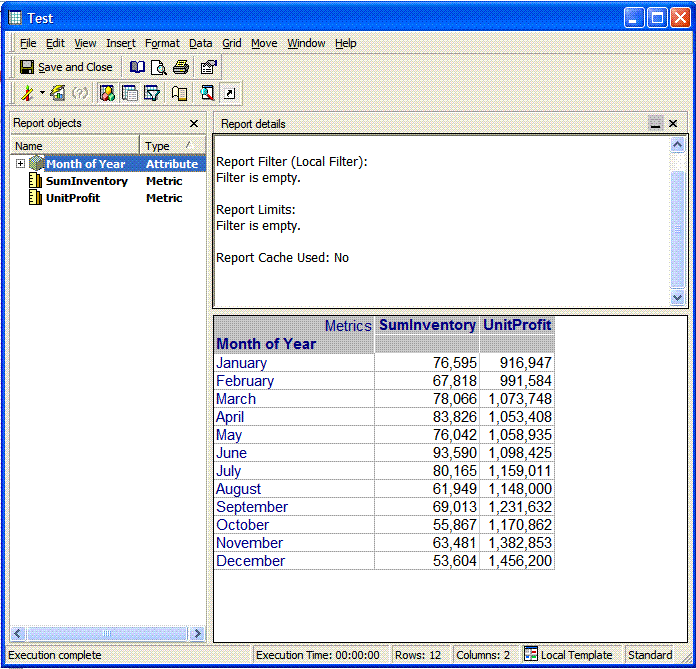
In the following report, two metrics have been created from two different fact tables on Strategy Tutorial, SumInventory, and UnitProfit:
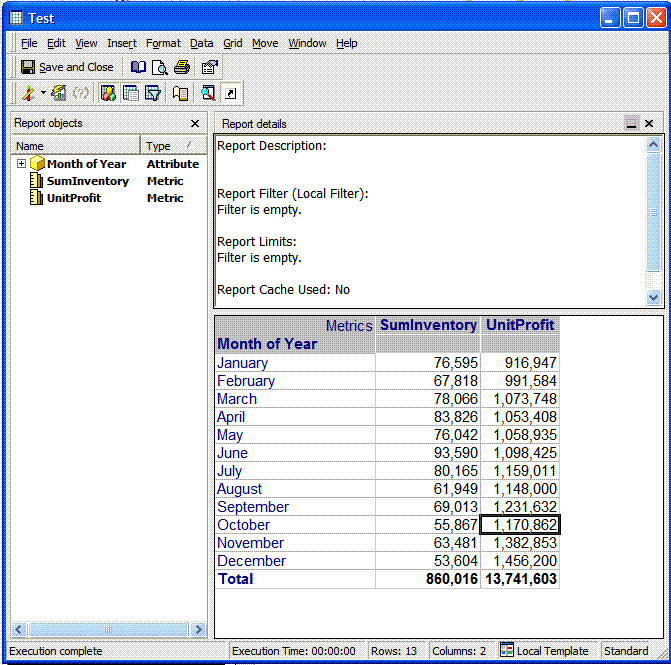
Now, the 'Total' Subtotal has been enabled for them:
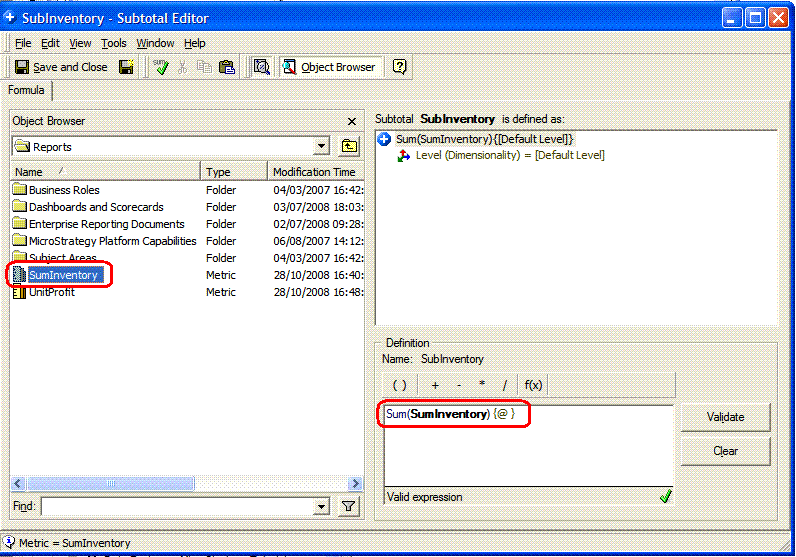
In order to have the SumInventory Subtotal appear under the UnitProfit metric, first to create a new subtotal, 'SubInventory' is defined as the SumInventory metric. In order to do that, after opening a subtotal editor, the metric 'SumInventory' can be dragged and dropped on the subtotal definition window:
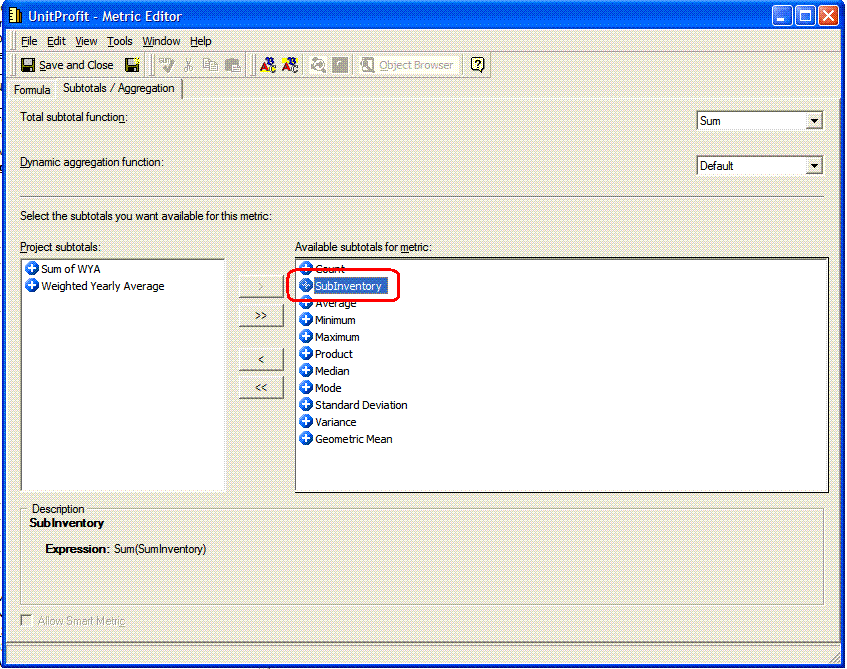
After having defined the subtotal and saved it as 'SubInventory', it can be enabled for the metric desired, in this case, the 'UnitProfit' metric. This can be done from the subtotal tab of the UnitProfit metric editor:
If now on the report the new subtotal is selected, it will appear under the unit profit metric as desired. In order to check the calculation, the Total subtotal can also be enabled to confirm that the value calculated by the SubInventory Subtotal is correct as the following picture shows:
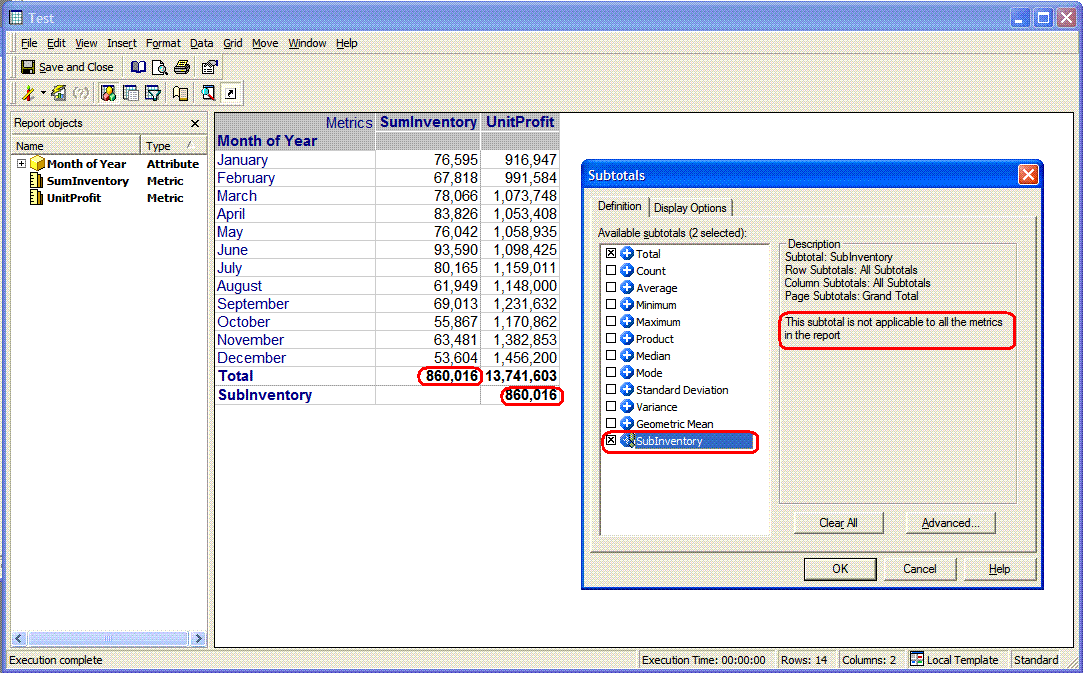
NOTE: The new subtotal is not enabled for all the metrics on the report, and in fact it has been designed only for the UnitProfit metric only.
Enabling this subtotal that is defined from the Unit Profit metric into the very same UnitProfit metric creates a circular definition of the same object.
In such a case, the report will fail with the following error message:
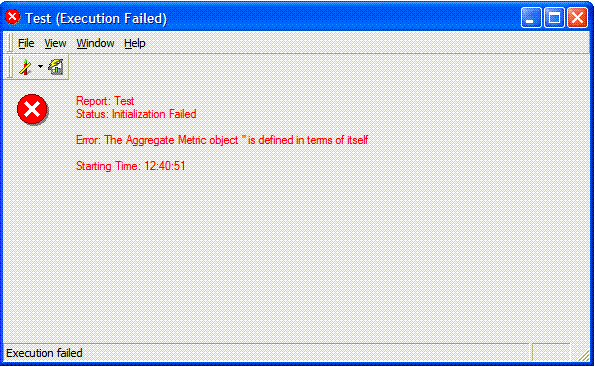
This is as designed, as the analytical engine will not accept circular definitions.
