When a user makes changes to selectors that target a graph report contained within a Report Services Document, the following error is given in Strategy Web or Strategy Web Universal:
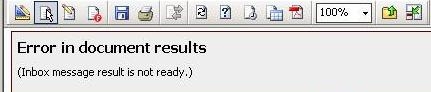
'Error in document results
(Inbox message result is not ready.)'
The issue is caused by insufficient memory available in the user's Working Set to handle the request due to the speed and amount of changes being performed to the Report Services Document via selectors; ultimately, the graph cannot be displayed and the above error is given.
For more information on what the Working Set is and where to find its governing and configuration settings, refer to:
KB8617: What is the 'Working Set' governor setting in Strategy Intelligence Server 9.x?
KB10138: How are the concepts of Working Set, Working Set Result Pool, History List related to each other in Strategy Intelligence Server?
Note: It's beyond the scope of Strategy Technical Support to dictate what value needs to be set for the Working Set, as this is environment specific. It's the user's responsibility to find the best value via tuning that will successfully meet reporting needs.
The user can wait until the page has completed loading in the browser for the current or last change made to the Report Services Document via a selector before proceeding to make a subsequent change or selection via a selector. This will ensure that there aren't multiple report instances in memory taking up all of the space in the user's Working Set for the project in question. Once the user follows these guidelines, the target graph contained within the Report Services Document will reflect the selections or changes made via a selector or group of selectors and no error will be thrown.
