When importing users from an LDAP server into Strategy Developer, the users are automatically added to the 'LDAP Users' user group. As per design, all and every user in the metadata is linked to the 'Everyone' user group, this applies regardless of whether the user was manually created or imported. As a result of this behavior, when users are imported from a LDAP Server, they will be members of both the 'LDAP Users' user group and the 'Everyone' user group, as shown below:
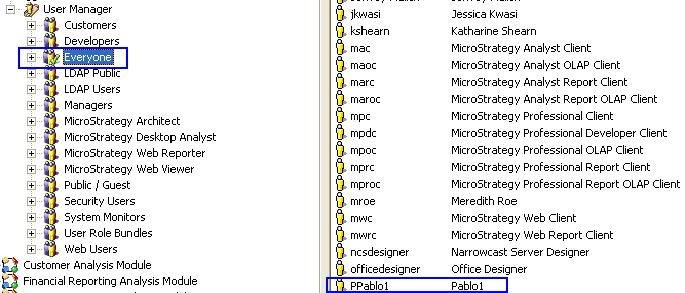
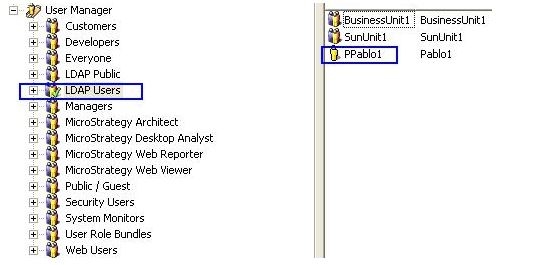
Note: The only exception to this rule is when using anonymous LDAP authentication; in which case the user is imported into the 'LDAP Public' user group and does not form part of the 'Everyone' user group per the nature of using a guest account within Strategy Developer.
For further information, refer to the following technical notes:
KB18562: Understanding LDAP integration with the Strategy Intelligence Server
KB18506: Importing and linking users using LDAP integration with the Strategy Intelligence Server
KB8816: Imported LDAP users are not shown as being part of the groups in which they belong in Strategy Intelligence Server
