EducationSoftwareStrategy.com
StrategyCommunity

Knowledge Base

Product

Community

Knowledge Base

TopicsBrowse ArticlesDeveloper Zone

Product

Download SoftwareProduct DocumentationSecurity Hub

Education

Tutorial VideosSolution GalleryEducation courses

Community

GuidelinesGrandmastersEvents
x_social-icon_white.svglinkedin_social-icon_white.svg
Strategy logoCommunity

© Strategy Inc. All Rights Reserved.

LegalTerms of UsePrivacy Policy
  1. Home
  2. Topics

KB19825: The last row(s) of data are missing from reports, which have at least one page-by attribute, when delivered as Excel documents through MicroStrategy Narrowcast Server 9.4.x-10.x using Personalized Report Execution


Community Admin

• Strategy


This knowledge base article documents a known behavior in which the last row(s) of data are missing from reports, which have at least one page-by attribute, when delivered as Excel documents through MicroStrategy Narrowcast Server 9.4.x-10.x using Personalized Report Execution

SYMPTOM:
 
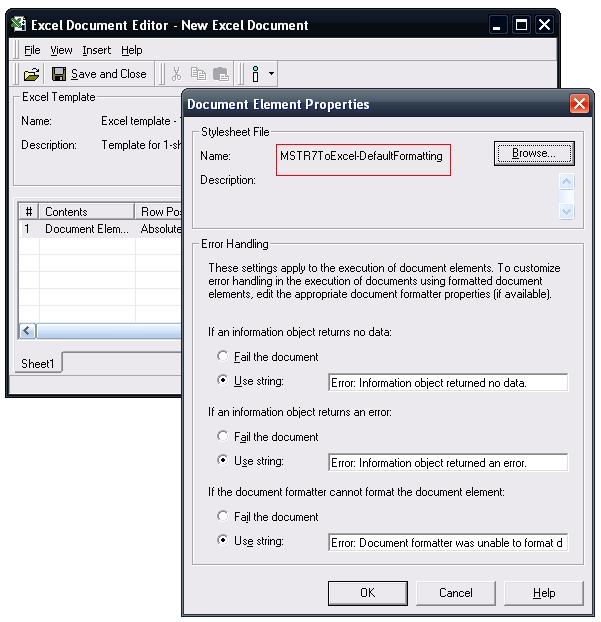
A report which includes at least one page-by attribute is missing one or more of the last rows. The report was sent as part of an Excel document executed using Personalized Report Execution (PRE). As shown below it is possible that the Document Element may be configured to use the MSTR7ToExcel-DefaultFormatting XSL stylesheet.
ka04W000000Od3SQAS_0EM440000002BCy.jpeg

CAUSE:
This behavior is by design.
 
ACTION:
If this behavior is not desirable, there are two option to workaround it:

  • Send the report as a linked report set to the Excel format.
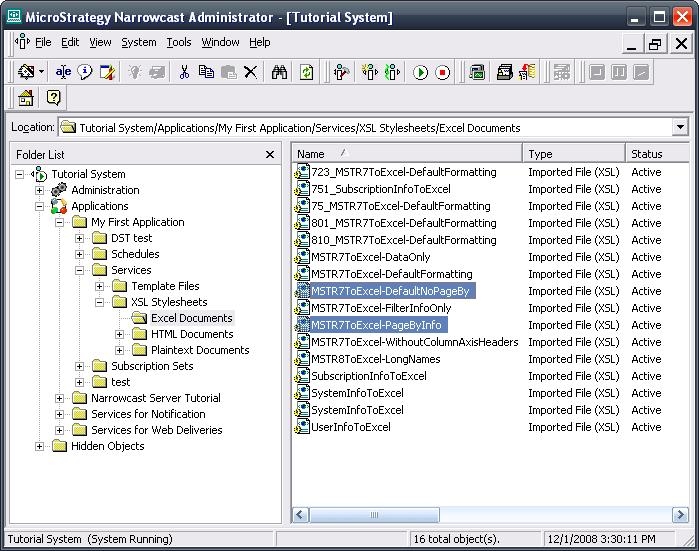
  • Using an Excel Document two Information Objects for the same report will need to be used. The first Information Object will need to use an XSL stylesheet that only returns the page-by information from the report. The second information object will need use an XSL stylesheet that returns all the data in the report excluding the page-by information.
ka04W000000Od3SQAS_0EM440000002BDL.jpeg
  • There are two XSL stylesheet files, "MSTR7ToExcel-PageByInfo" and "MSTR7ToExcel-DefaultNoPageBy", that can be used for this purpose. These XSL files are available out-of-the-box but need to be imported the repository from the '\Program Files\MicroStrategy\Narrowcast Server\Delivery Engine\XSL\Excel Documents' folder.
     
ka04W000000Od3SQAS_0EM440000002BDN.jpeg

Comment

0 comments

Details

Knowledge Article

Published:

June 23, 2017

Last Updated:

June 23, 2017