SYMPTOM:
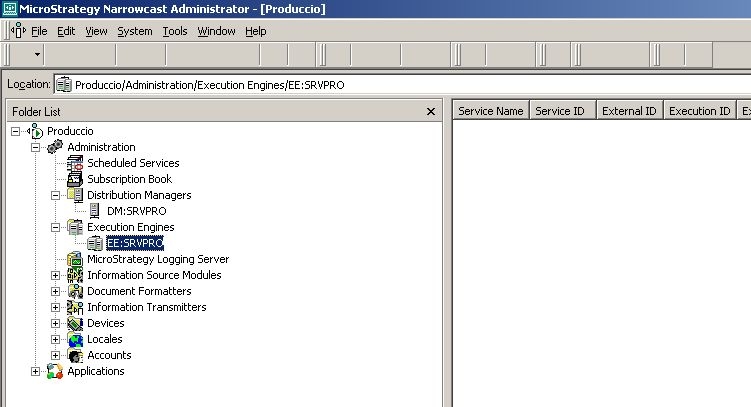
After installing Strategy Narrowcast server on a Citrix environment, when users Log into the Narrowcast Administration console, they are unable to see the menu icons:
CAUSE:
Upon launching, Strategy Narrowcast Administrator console reads the file Agent.tb. This file stores the configuration of the Tool Bar appearing in the console. The extension 'tb' stands for toolbar. The file Agent.tb may have become corrupted.
ACTION:
To resolve this issue, users must execute the following steps:
Note: When working with Citrix you must take into consideration the guidelines described in the following Knowledge Base article:
KB22625: MicroStrategy Support for Virtualization Software
Third Party Software Installation:
WARNING:
The third-party product(s) discussed in this technical note is manufactured by vendors independent of Strategy. Strategy makes no warranty, express, implied or otherwise, regarding this product, including its performance or reliability.
19939
