EducationSoftwareStrategy.com
StrategyCommunity

Knowledge Base

Product

Community

Knowledge Base

TopicsBrowse ArticlesDeveloper Zone

Product

Download SoftwareProduct DocumentationSecurity Hub

Education

Tutorial VideosSolution GalleryEducation courses

Community

GuidelinesGrandmastersEvents
x_social-icon_white.svglinkedin_social-icon_white.svg
Strategy logoCommunity

© Strategy Inc. All Rights Reserved.

LegalTerms of UsePrivacy Policy
  1. Home
  2. Topics

KB19953: Report Execution fails with error: "Negative Scale not valid" in MicroStrategy 9.x and 10.x


Stefan Zepeda

Salesforce Solutions Architect • Strategy


KB19953: Report Execution fails with error: "Negative Scale not valid" in MicroStrategy 9.x and 10.x

SYMPTOM:
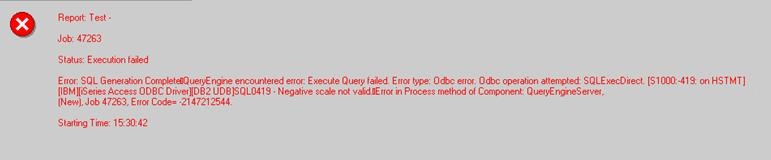
The following error is returned in a report:
 

ka02R000000kXGeQAM_0EM440000002EfX.jpeg

 
Negative scale not valid
CAUSE:
This error occurs due to a division operation between two decimal operands. It will only appear if the SQL generated by the report shows a division operation.
 
A decimal number is composed of precision and scale. Precision defines the amount of digits the number can hold and scale the amount of digits that can be placed after the decimal point. This means that the scale must be smaller or equal to the precision and both should be positive numbers
 
The error appears as the result of the operation returns a decimal number with a negative scale. When two decimal numbers are divided the resulting scale is calculated by the formula:
 
31 - pn + sn - sd
pn: precision of the numerator,
sn: scale of the numerator
ds: scale of the denominator
31: maximum amount of digits available for precision. This can be 63 in some databases.
WORKAROUND:
Identify the Strategy object that is causing the division operation (this can be a metric or a fact). Once identified, take one of the following actions:
 

  • Modify the data type in the database of the columns used in the division in a way that they support the rules specified above.
  • Apply a casting/converting function to make one of the values a floating data type.
     
     
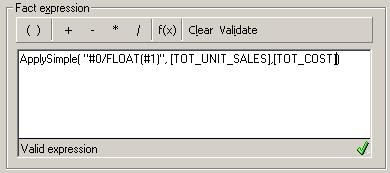
    This can be done by the use of an applysimple expression, such as:
     
    • ApplySimple("#0/FLOAT(#1)", column1, column2) in the fact editor
ka02R000000kXGeQAM_0EM440000002EfI.jpeg
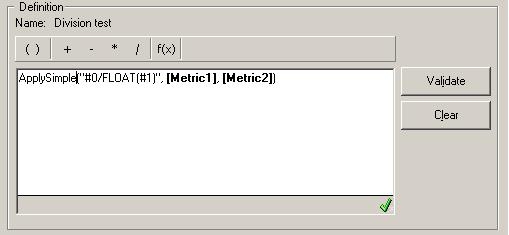
    • ApplySimple("#0/FLOAT(#1)", metric1, metric2) in the metric editor
ka02R000000kXGeQAM_0EM440000002EfK.jpeg

NOTE:
The casting operations may vary depending on the database used. In the example shown above a SQL 2005 database was used.


Comment

0 comments

Details

Knowledge Article

Published:

June 19, 2017

Last Updated:

June 19, 2017