SUMMARY:
This document shows how to enable the Report Cache Expiration Options when editing reports in Strategy Developer 9.x. Document provides steps and video information on how to enable the setting.
DESCRIPTION:
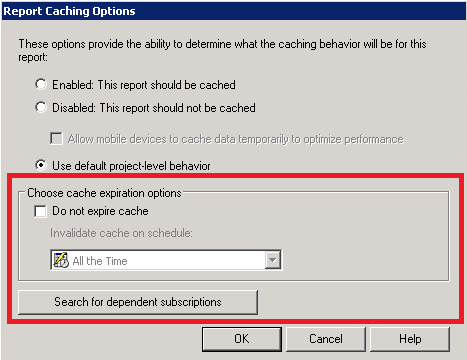
In Strategy Developer 9.x, when users edit a report they are not able to see report cache expiration options.

Sometimes, users might see this option available in reports located in other project sources as seen below.
STEPS TO REPRODUCE:
CAUSE:
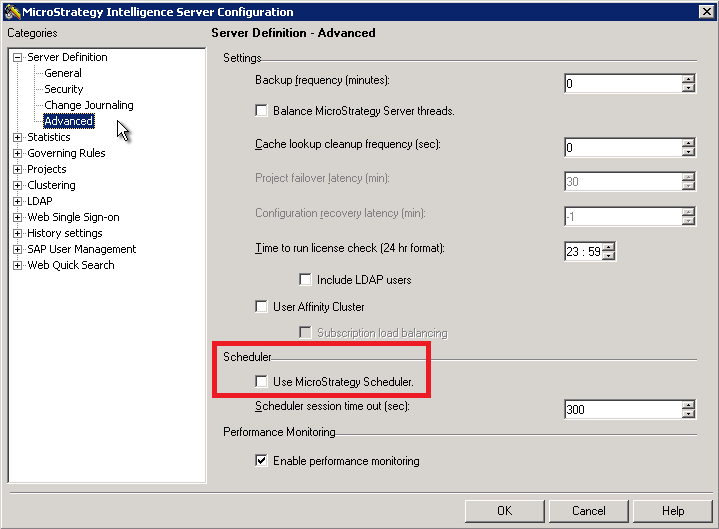
This is the expected behavior in Strategy Developer 9.x where report cache expiration is not available to change if the Strategy Scheduler is disabled.
SOLUTION
Check the Use Strategy Scheduler option in the Intelligence Server Configuration.
ADDITIONAL TROUBLESHOOTING:
If the workaround steps above do not resolve the issue, please consider calling MicroStrategy Technical support with the following information of troubleshooting already done:
