EducationSoftwareStrategy.com
StrategyCommunity

Knowledge Base

Product

Community

Knowledge Base

TopicsBrowse ArticlesDeveloper Zone

Product

Download SoftwareProduct DocumentationSecurity Hub

Education

Tutorial VideosSolution GalleryEducation courses

Community

GuidelinesGrandmastersEvents
x_social-icon_white.svglinkedin_social-icon_white.svg
Strategy logoCommunity

© Strategy Inc. All Rights Reserved.

LegalTerms of UsePrivacy Policy
  1. Home
  2. Topics

KB20047: How to Use Fiddler When Using HTTPS Secure TCP Connection with MicroStrategy Web


Community Admin

• Strategy


When using HTTPS, Fiddler does not show the contents of the sessions by default.
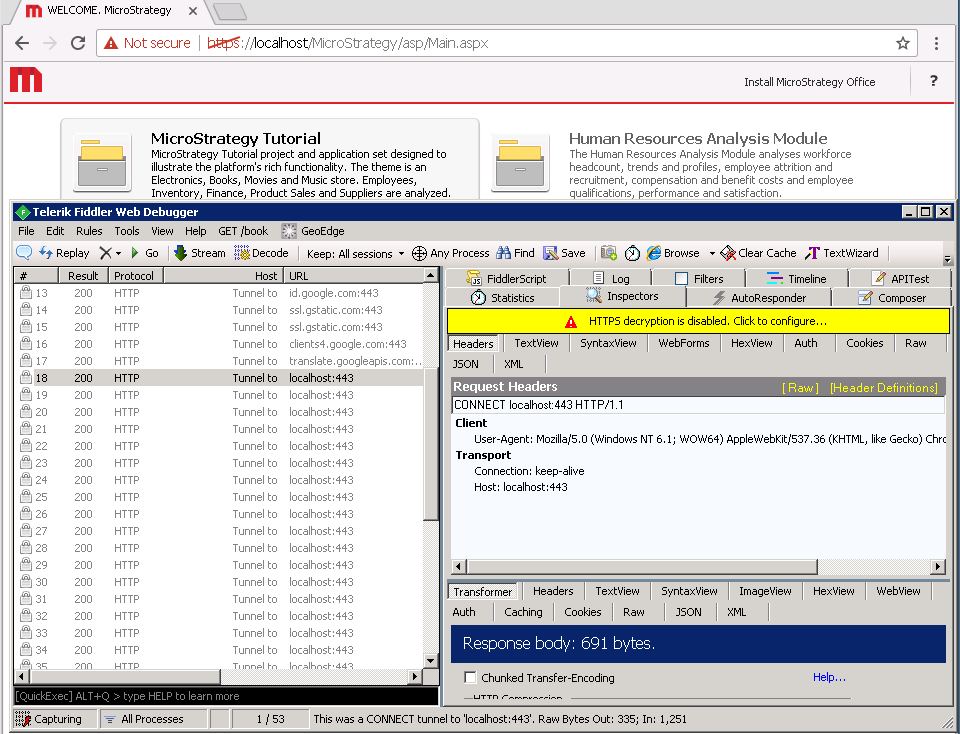
Description

When using HTTPS, Fiddler does not show the contents of the sessions by default.

ka04W00000148smQAA_0EM440000002Hkl.png

Solution

In order for Fiddler to capture the sessions when using HTTPS, follow these steps.
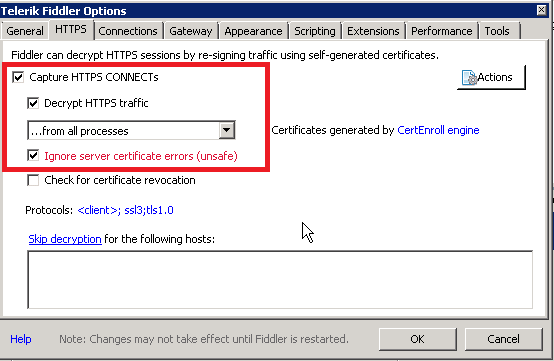
  • Access the tools menu inside Fiddler - Fiddler options and switch to HTTPS tab.
ka04W00000148smQAA_0EM440000002Hkq.png
  • Make sure that Capture HTTPS CONNECTs, Decrypt HTTPS traffic and Ignore server certificate errors are enabled.
  • Click Actions and select Trust Root Certificate.
  • Restart Fiddler
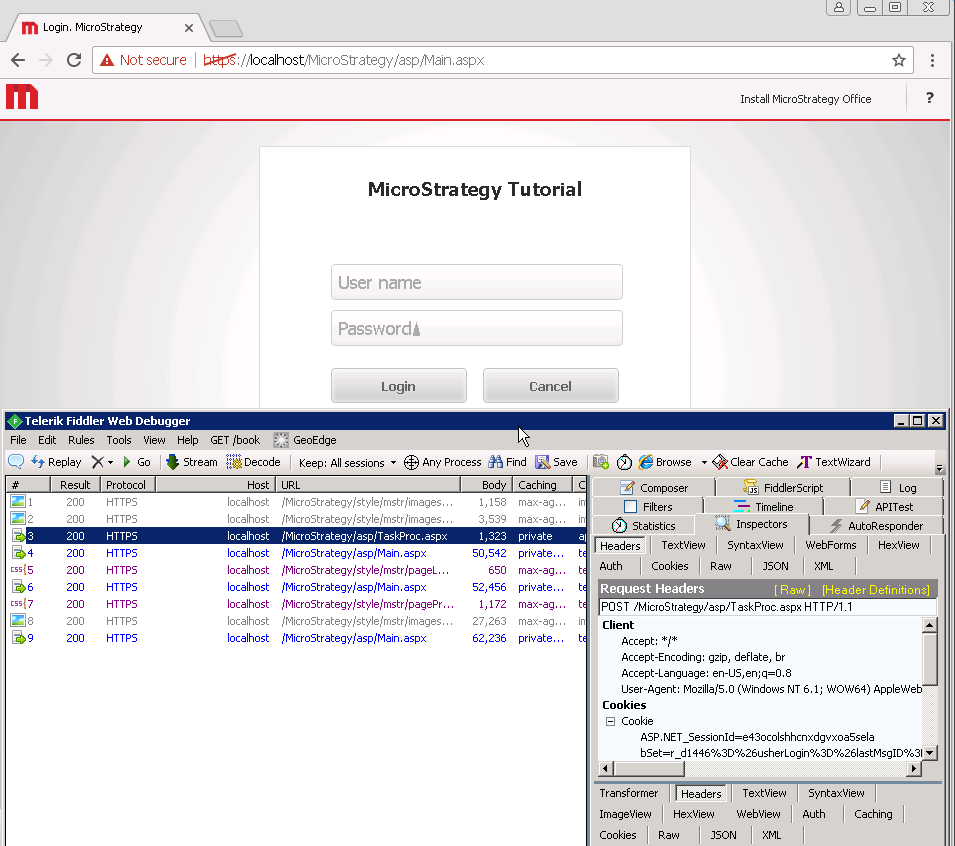
    Note how all the CSS and full requests are being captured by Fiddler
ka04W00000148smQAA_0EM440000002HlF.png

Third Party Software Installation

WARNING:
The third-party product(s) discussed in this technical note is manufactured by vendors independent of Strategy. Strategy makes no warranty, express, implied or otherwise, regarding this product, including its performance or reliability.


Comment

0 comments

Details

Knowledge Article

Published:

April 3, 2017

Last Updated:

April 3, 2017