SYMPTOM:
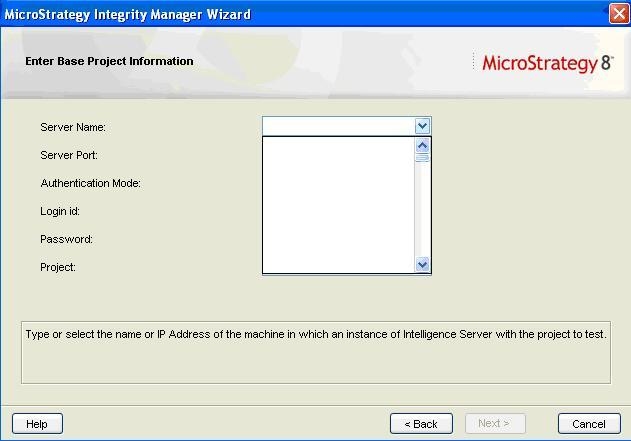
When creating a test and trying to connect to a remote Intelligence Server, a user might notice that the server name list is empty as shown in the following image:
CAUSE:
Integrity Manager uses the Windows TCP/IP hosts file to contact remote Intelligence Servers. This file contains server names and IP addresses for other networked machines that can be accessed from this machine.
ACTION:
The user must add the remote Intelligence Server entry to the hosts file for the machine Integrity Manager is running on. Follow the next steps to modify the hosts file:
In Windows
In Linux
After making the changes, the user will be able to execute integrity tests against the Intelligence Servers specified in the file. For any additional steps on your network configuration contact your system administrator.
CAUTION:
Modifying the HOSTS file on a machine incorrectly can interfere with name resolution. Ensure that a backup copy is made of the HOSTS file before modifications are made.
