This document provides specific error messages in both Windows and Linux environments and steps to troubleshoot these. The video appended with this Technical Note shows how to check for possible network problems to the Amazon Redshift platform.
Trying to connect to Amazon Redshift from both Windows and Linux machines using Connectivity Wizard results in the following errors:
Windows
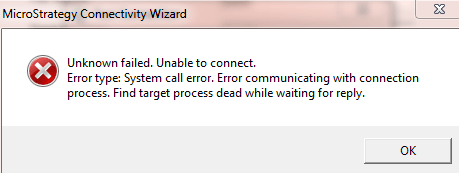
Unknown failed. Unable to connect. Error type: System call error. Error communicating with connection process. Find target process dead while waiting for reply.
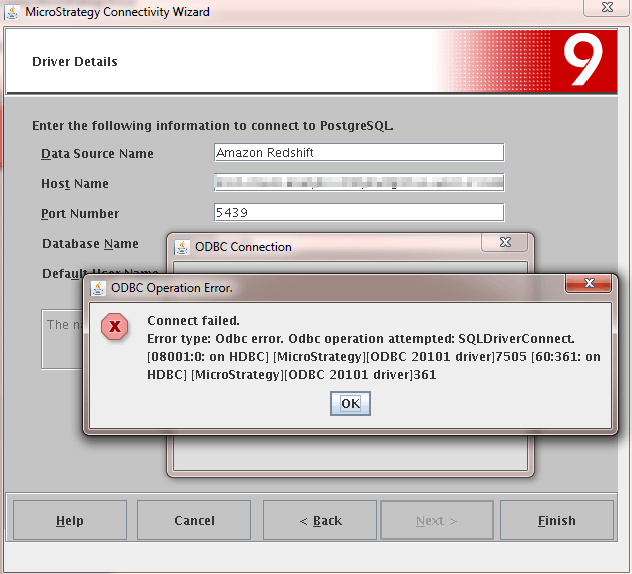
ODBC error. Odbc operation attempted: SQLDriverConnect. SQLDriverConnect. [08001:0: on HDBC] [Strategy][ODBC 20101 driver]7505 [60:361: on HDBC][Strategy][ODBC 20101 driver]361
Windows:
The Windows error is received because on Windows machines, there is an additional Redshift driver which must be installed. This driver must be installed directly from Amazon.
Linux:
As per Data Direct, the error message corresponds to the following:
Ensure the HostName, PortNumber, SID and ServiceName connection options are correct.
Incorrect HostName and/or PortNumber values results in this error.
Windows:
Refer to the following link for more information: http://docs.aws.amazon.com/redshift/latest/mgmt/configure-odbc-connection.html.
Installing this driver should resolve the Windows misconnection.
Linux:
After verifying the HostName, PortNumber, SID and ServiceName connection options, users may also simply test the connectivity to the Amazon Redshift database platform.
In order to test connectivityfrom Linux, first ping the host to make sure the machine the Amazon Redshift resides on can be talked to, as shown below:
$ ping <server_name>
Pinging server_name [10.16.17.17] with 32 bytes of data
Reply from 10.16.17.17: bytes=32 time=1ms TTL=126
Reply from 10.16.17.17: bytes=32 time<10ms TTL=126
Reply from 10.16.17.17: bytes=32 time<10ms TTL=126
Reply from 10.16.17.17: bytes=32 time<10ms TTL=126

Ping statistics for 10.16.17.17:
Packets: Sent = 4, Received = 4, Lost = 0 (0% loss),
Approximate round trip times in milli-seconds:
Minimum = 0ms, Maximum = 1ms, Average = 0ms
telnet <Amazon_Redshift_Machine_Name> <Port_Number>

Contact the System Administrator to resolve such network issues.
TO LEARN MORE
Check the following very helpful resources describing how to connect to Amazon Redshift, drivers supported for connecting
KB41797 - How to configure MicroStrategy 9.3.0 products to work with Amazon Redshift
KB46086 - Correction to MicroStrategy Analytics Enterprise 9.4.1 Readme pertaining to the certificat...
TN 44701 - “Invalid operation. Attempted to fetch an empty result.” error message appears when retri...
DISCLAIMER
Limitation of Liability: Strategy shall have no liability to licensee for any damages of any kind, including, but
not limited to, liability for direct, indirect, special, incidental or consequential, damages (which shall include, but not be limited to, loss of data or information, loss of revenue or anticipated profits or lost business).
The third-party product(s) discussed in this technical note is manufactured by vendors independent of Strategy. Strategy makes no warranty, express, implied or otherwise, regarding this product, including its performance or reliability.
