EducationSoftwareStrategy.com
StrategyCommunity

Knowledge Base

Product

Community

Knowledge Base

TopicsBrowse ArticlesDeveloper Zone

Product

Download SoftwareProduct DocumentationSecurity Hub

Education

Tutorial VideosSolution GalleryEducation courses

Community

GuidelinesGrandmastersEvents
x_social-icon_white.svglinkedin_social-icon_white.svg
Strategy logoCommunity

© Strategy Inc. All Rights Reserved.

LegalTerms of UsePrivacy Policy
  1. Home
  2. Topics

KB201294 : “Error Validating the Formula: Formula Incorrect” Error when setting the dynamic aggregation function for a metric template with an empty definition


Stefan Zepeda

Salesforce Solutions Architect • Strategy


“Error Validating the Formula: Formula Incorrect” Error when setting the dynamic aggregation function for a metric template with an empty definition

SYMPTOM:
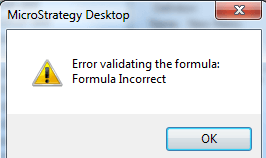
A user is trying to create a metric template with an empty definition and with the dynamic aggregation function set to sum. However when the user tries to save the metric, they get the error below:
ka02R000000kbMKQAY_0EM440000002CF4.jpeg

 
STEPS TO REPRODUCE:

  1. In Strategy Desktop, right click and select New > Metric
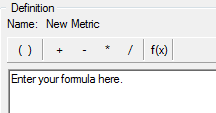
  2. Leave the metric definition as blank
ka02R000000kbMKQAY_0EM440000002CEx.jpeg

3. On the Subtotals/Aggregation tab, set the dynamic aggregation function to Sum

ka02R000000kbMKQAY_0EM440000002CF5.jpeg

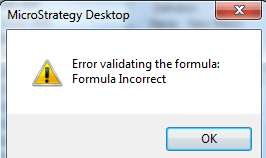
4. When the metric is saved the error below is received
ka02R000000kbMKQAY_0EM440000002CF6.jpeg

 
CASUE:
Users currently do not have the ability to set the dynamic aggregation function for a metric with an empty definition. An enhancement request has been logged with technology for this functionality.


Strategy Internal Reference Number: 943941


Comment

0 comments

Details

Knowledge Article

Published:

June 8, 2017

Last Updated:

July 17, 2017