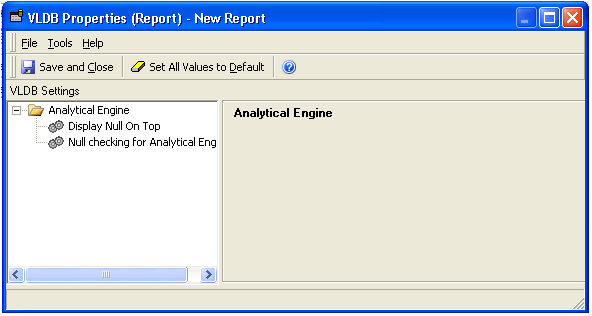
In Strategy 10.x and newer, the Result set row limit VLDB property is used to set a different limit of rows for a specific report. The reports created from an intelligent cube do not have this VLDB property used in normal reports.
Currently this issue is being reviewed by Strategy for a potential enhancement request on an upcoming Strategy release. It is strongly encouraged that you post your questions on the community forum for any community based workarounds.
In order to set a limit of rows for report that uses an Intelligent Cubes use the following steps as workaround:
1 - Create a similar regular report using the same attributes and metrics of the Intelligent Cube.
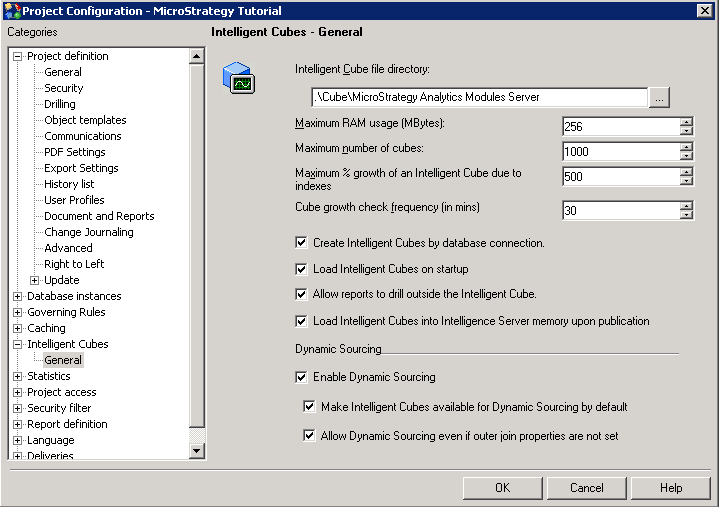
2 - Check the Enable Dynamic Sourcing option under Project Configuration > Intelligent Cubes.
3 - Check the Make Intelligent Cubes available for Dynamic Sourcing by default option.
4 - Check the Allow Dynamic Sourcing even if outer join properties are not set option.
5 - The report should not contain internal filter, otherwise the report definition won't match with the Intelligent Cube definition.
6 - In this way is it possible to set a row limit for report and it will be executed against the Intelligent Cube.
Notes:
For additional information, refer to the following Strategy technical notes:
1) KB41887: Is it possible to limit the number of rows returned by users running view reports against Intelligent Cubes from Desktop and Web 9.3.0?
2) KB36667: Best practices for Dynamic Sourcing in MicroStrategy 9.x
