In a grid, when an attribute is set as a selector, the color of the attribute element cell changes to light grey on a MouseOver event. (As shown below)
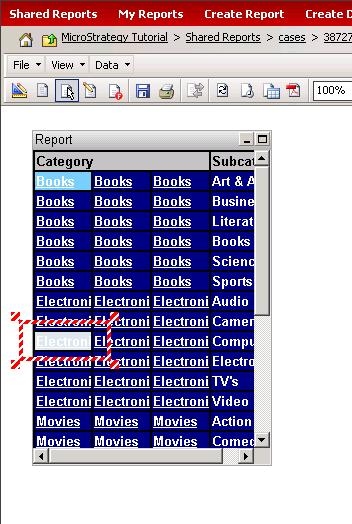
To change this color, please follow the following steps.
1. Please navigate to folder:
C:\Program Files\MicroStrategy\Web ASPx\style\mstr
2. Open pageRW.css with Notepad. The setting that controls mouse over effect is listed below
.gridHiliteMouseOver {
background-image: url(images/gridHiliteMouseOver.gif);
}
To change the color, a new image needs to be created to replace gridHiliteMouseOver.gif. Make sure the new image is same size as the old one.
Note: This workaround does not work in Express mode.
Customization Warning:
This customization is provided as a convenience to Strategy users and is only directly applicable to the version stated. While this code may apply to other releases directly, Strategy Technical Support makes no guarantees that the code provided will apply to any future or previous builds. In the event of a code change in future builds, Strategy Technical Support makes no guarantee that an updated version of this particular customization will be provided. For enhancements to this customization or to incorporate similar functionality into other versions, contact your Account Executive to inquire about Strategy Consulting assistance.
