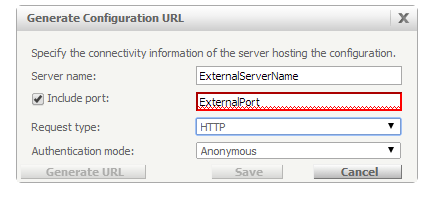
Since 9.3.0, Strategy allows the user to define an external mobile server name (Reverse Proxy Server Name) and the internal or real Mobile Server name in the Mobile Configuration. To do this, the user needs to create a new mobile configuration, navigate to the Connectivity Settings tab and check the “Mobile clients access this server using the following external name” setting.
For example, if the reverse proxy server name is “MobileServer.com” and the real Mobile Server name is “RealMobileServer.com” then the Mobile Configuration can be defined as follows:
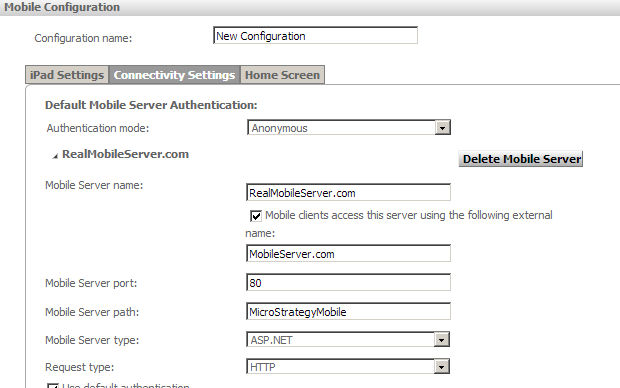
In some cases, besides mapping the Mobile Server Name, the port also changes, for example, it might be the case the external name uses https to communicate to the proxy (port 443) and internally the proxy redirects the call to the Mobile Server using http (port 80).
In Strategy Mobile, users do not have an additional parameter in the Mobile Server configuration page where a user can define different ports, an external and an internal one.
To use different ports, the user should follow these steps:
1. Create the Mobile Configuration from the Mobile Admin page using the Internal port, for example 80. If users try to use the external port, probably the page will time out when trying to add projects to the configuration.
2. On the mobile server machine, open the MobileConfig-xxxx.xml file generated from the new configuration created. This file is usually located under \WEB-INF\xml\mobile
3. Look for the port parameter; change the value to the external port, for example, from 80 to 443, and save the file.
4. After making this change, the mobile device will now use the external port to access the proxy. When generating the URL to retrieve the mobile configuration, make sure to use the external name and port details.